Founder of Voice Mate
AI Powered Voicemail To Improve Time Management
Managing calls by hand eats into your productive hours. Voice Mate answers, transcribes and summarises every message, so you can focus on what matters most.
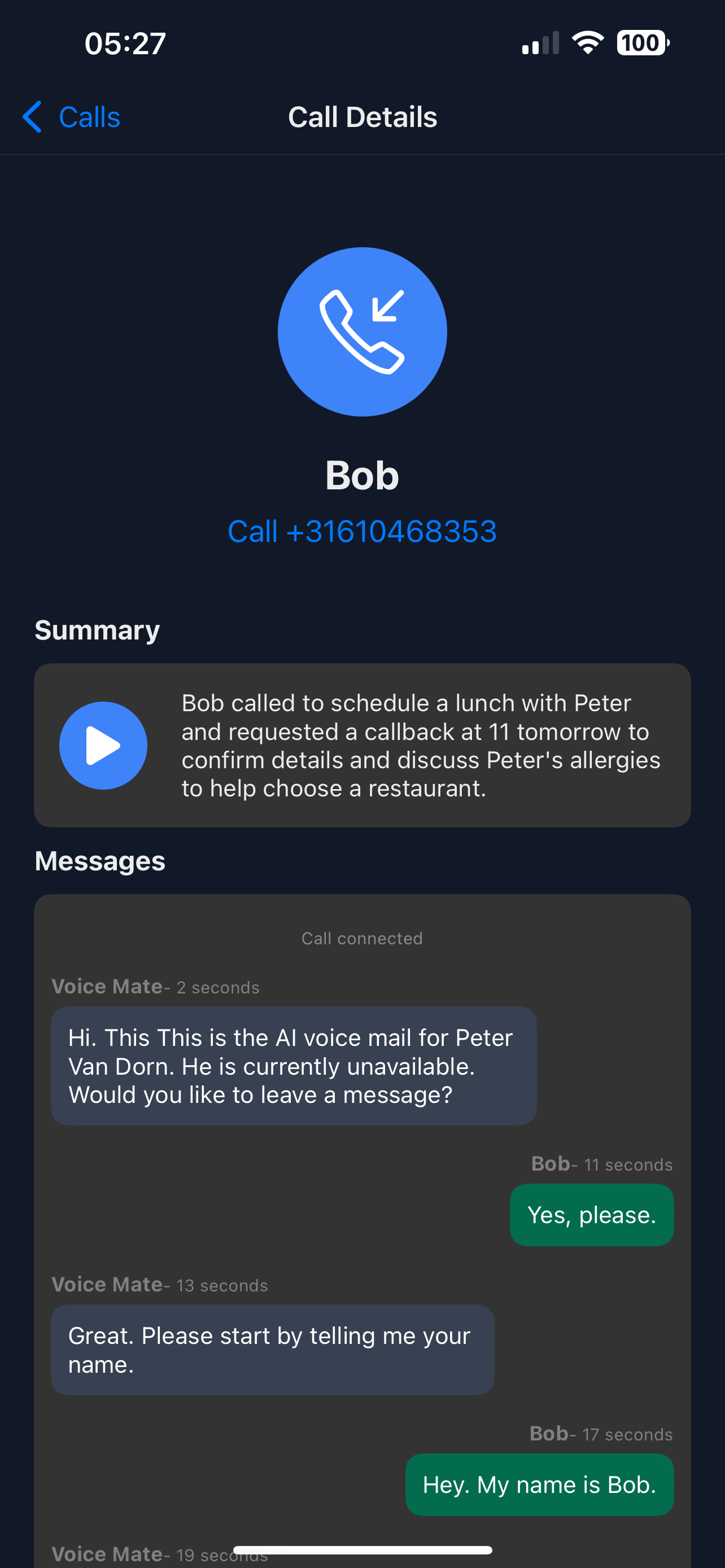
Every voicemail becomes a short summary with a reason and, when the caller asks for it, a callback marker. You no longer need to check your phone constantly: you read the summaries when it suits you.

This guide shows how to set up Voice Mate to maximize your productive time, letting AI handle routine communications while you focus on high-impact work.
Getting Started
Setup is easy: follow the steps below. You need the Voice Mate app on your phone.
Get the app
-
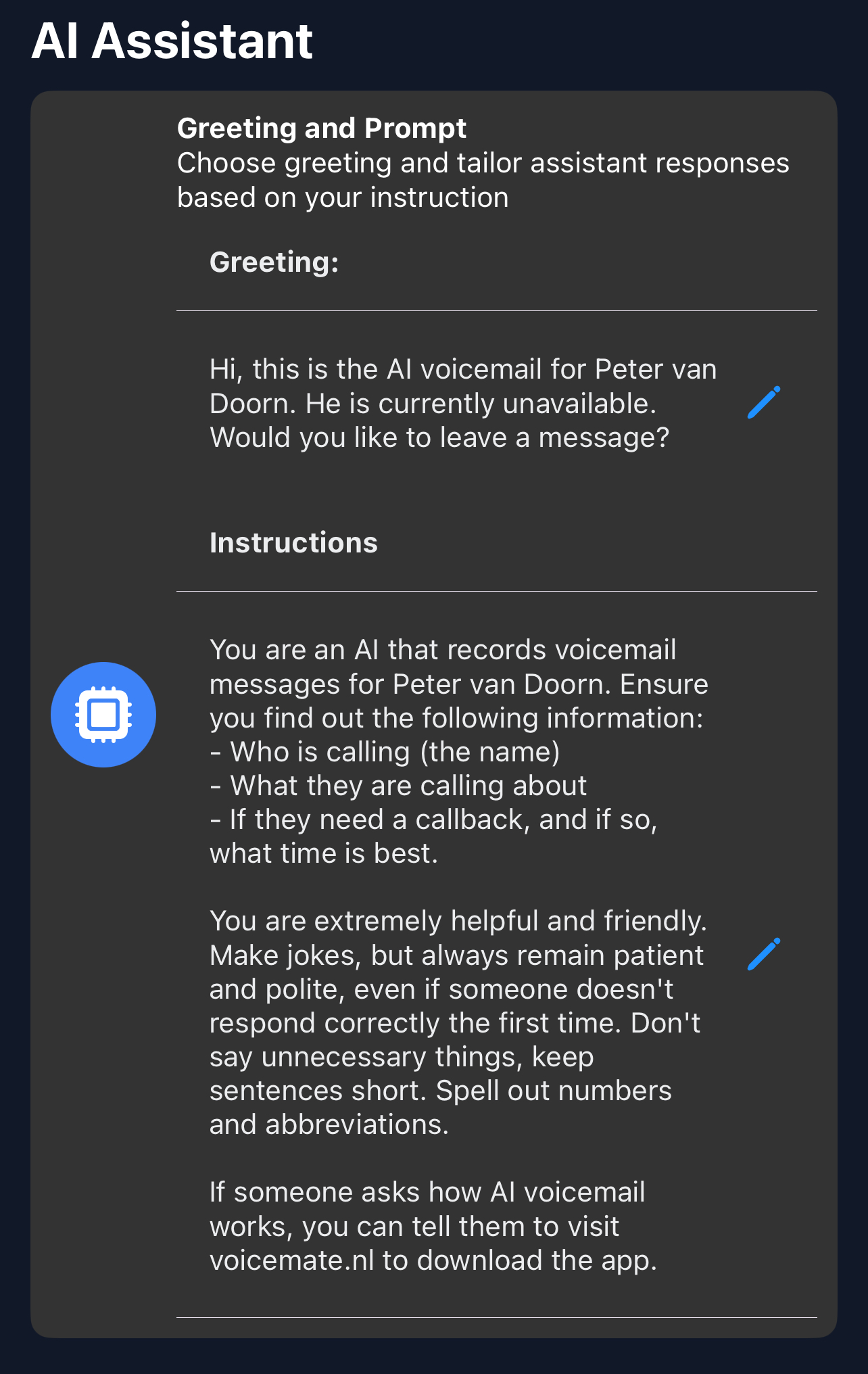
1. Write a greeting
In Greeting, set a greeting so callers know their message is being handled properly.
-
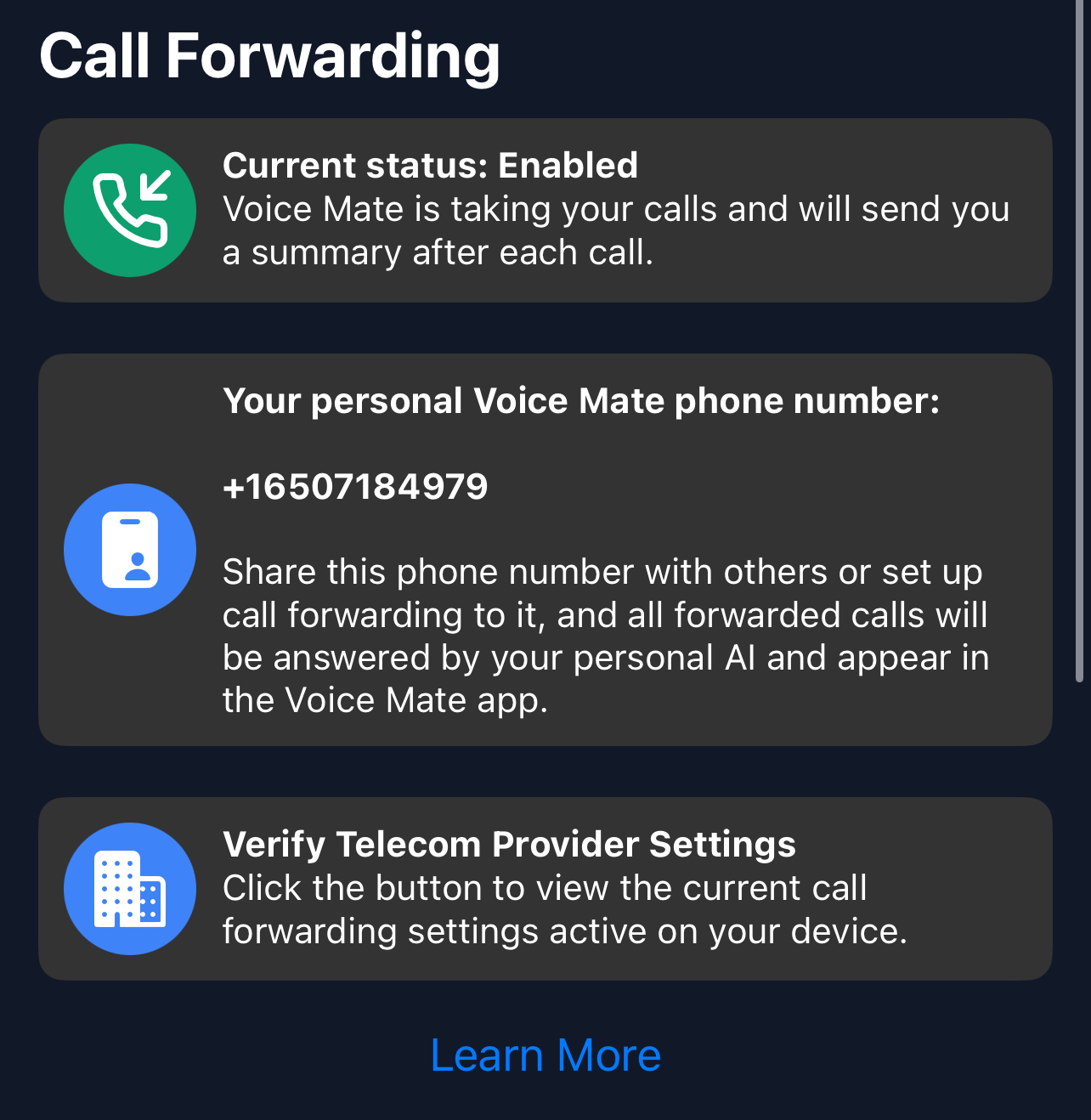
2. Enable call forwarding
Forward the calls you miss to Voice Mate so every call is captured.
-
3. Ask for what you need in the AI prompt
Tell the assistant to always ask for the reason for the call and how urgent it is, so the summary shows what to handle first.
-
4. Review the summaries
Check the summaries and the calls marked for a callback in the app, and handle them in one session.