Founder of Voice Mate
Google Calendar Callback Scheduling with AI Voicemail
Turn missed calls into scheduled callbacks: Voice Mate's AI voicemail adds follow-ups straight into your Google Calendar. Set it up in minutes.
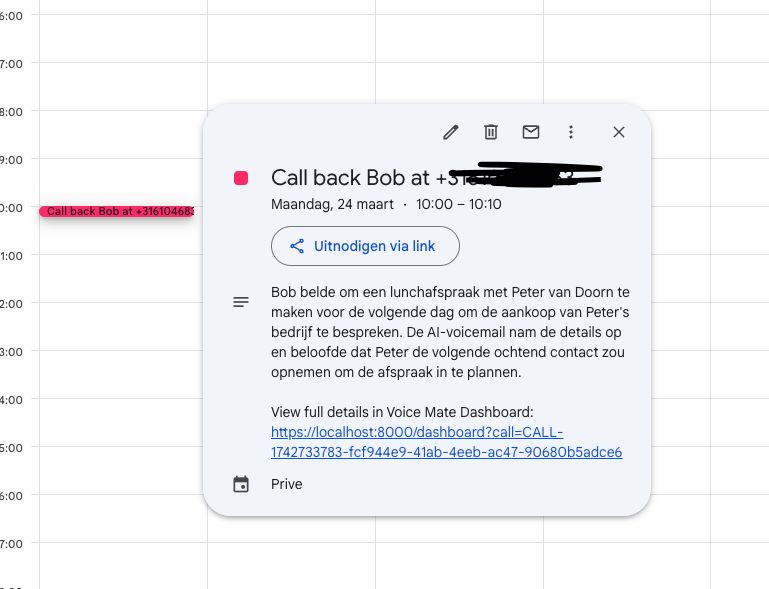
By linking your voicemail assistant to Google Calendar, you can ensure that every missed call or requested callback is automatically scheduled in your calendar. This eliminates the need for manual data entry, helping you stay organized and reducing the risk of forgetting important follow-ups. The integration is designed to streamline your workflow, allowing you to focus on more critical tasks while Voice Mate takes care of scheduling. What sets Voice Mate apart is its ability to check your availability before scheduling a callback. If a caller requests a specific time, Voice Mate cross-references your Google Calendar to ensure you’re free before booking the event. If no time is specified, it intelligently finds an open slot that works for you. This ensures that callbacks are scheduled efficiently without conflicts, making your workflow smoother and more automated. Once integrated, Voice Mate will analyze voicemail messages for callback requests and automatically create corresponding calendar events. If a caller specifies a preferred time, the event will be scheduled accordingly. Otherwise, Voice Mate can suggest an available slot based on your calendar's availability. This seamless synchronization ensures that you never miss an important call and always follow up at the right time.
Another key advantage of this integration is that it allows for better coordination across teams. If you're part of a sales or support team, Voice Mate can create shared calendar events that notify relevant team members about follow-up calls. This ensures that your team stays on top of client communications without the need for back-and-forth emails or messages. By automating the scheduling process, you not only improve efficiency but also enhance customer experience. Clients and prospects will appreciate prompt callbacks, which can lead to stronger relationships and increased business opportunities. With Voice Mate and Google Calendar working together, you can optimize your workflow, improve responsiveness, and never let a missed call go unanswered.
Getting Started
Setup is easy: follow the steps below. You need the Voice Mate app on your phone.
Get the app
-
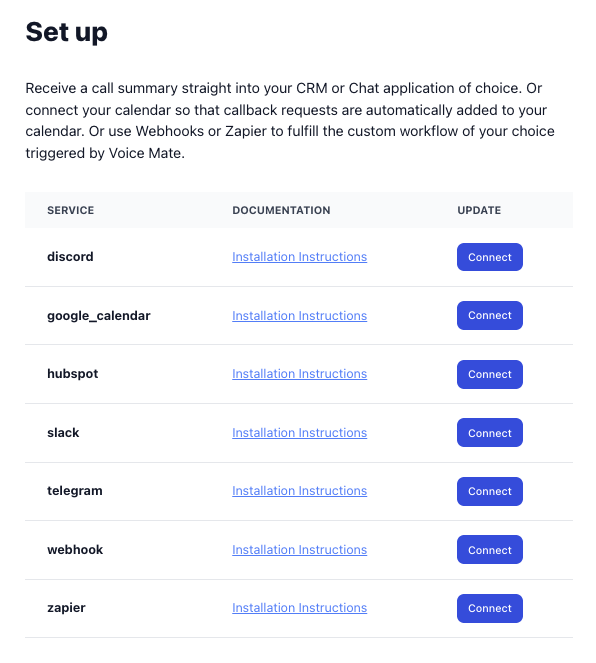
1. Log in to Voice Mate
Go to your Voice Mate settings and enable Google Calendar integration.
-
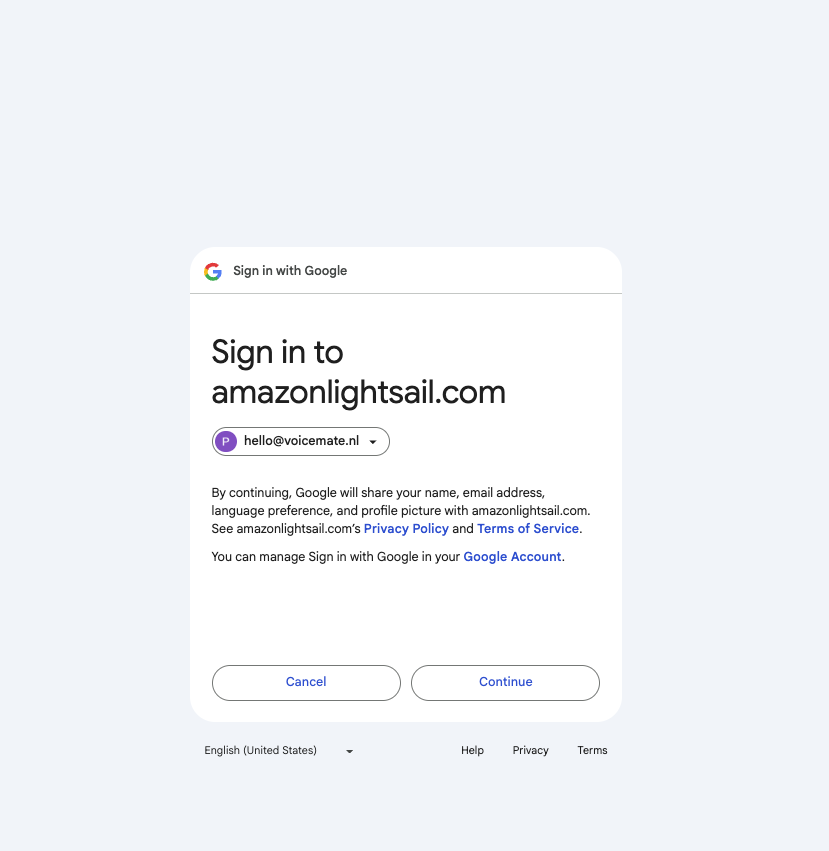
2. Log into your Google account
Log in to your Google account and grant Voice Mate access to your calendar.
-
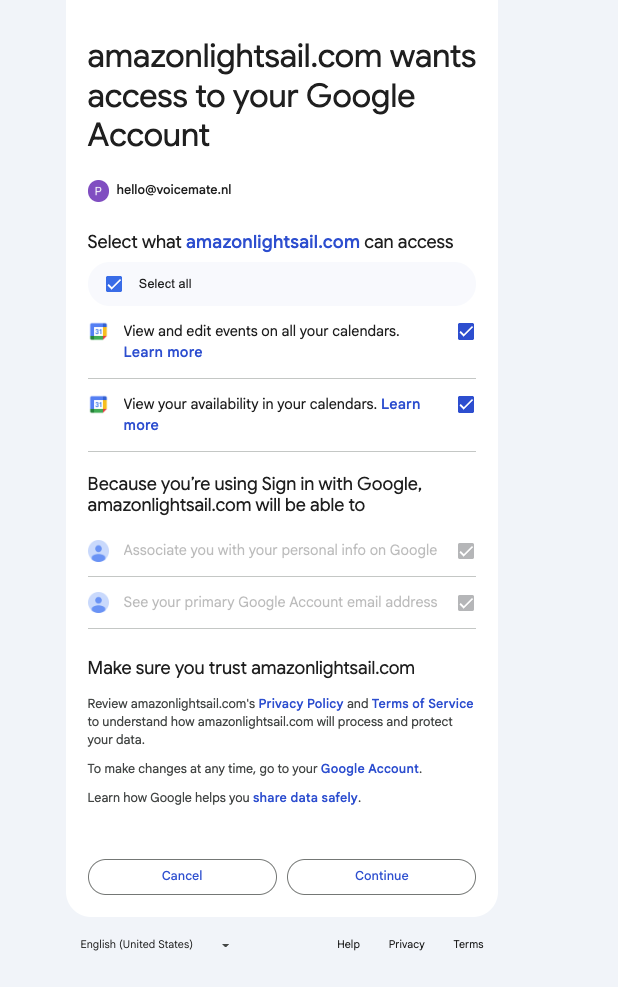
3. Grant access
Give Voice Mate access to see your availability and to update your calendar.
-
4. When a callback is requested, Voice Mate will schedule a event in your Calendar
Test the integration by leaving a voicemail requesting a callback. You'll see that a event with the call details is scheduled for the time that was requested in the call.