Founder of Voice Mate
Auto Respond To Missed Calls
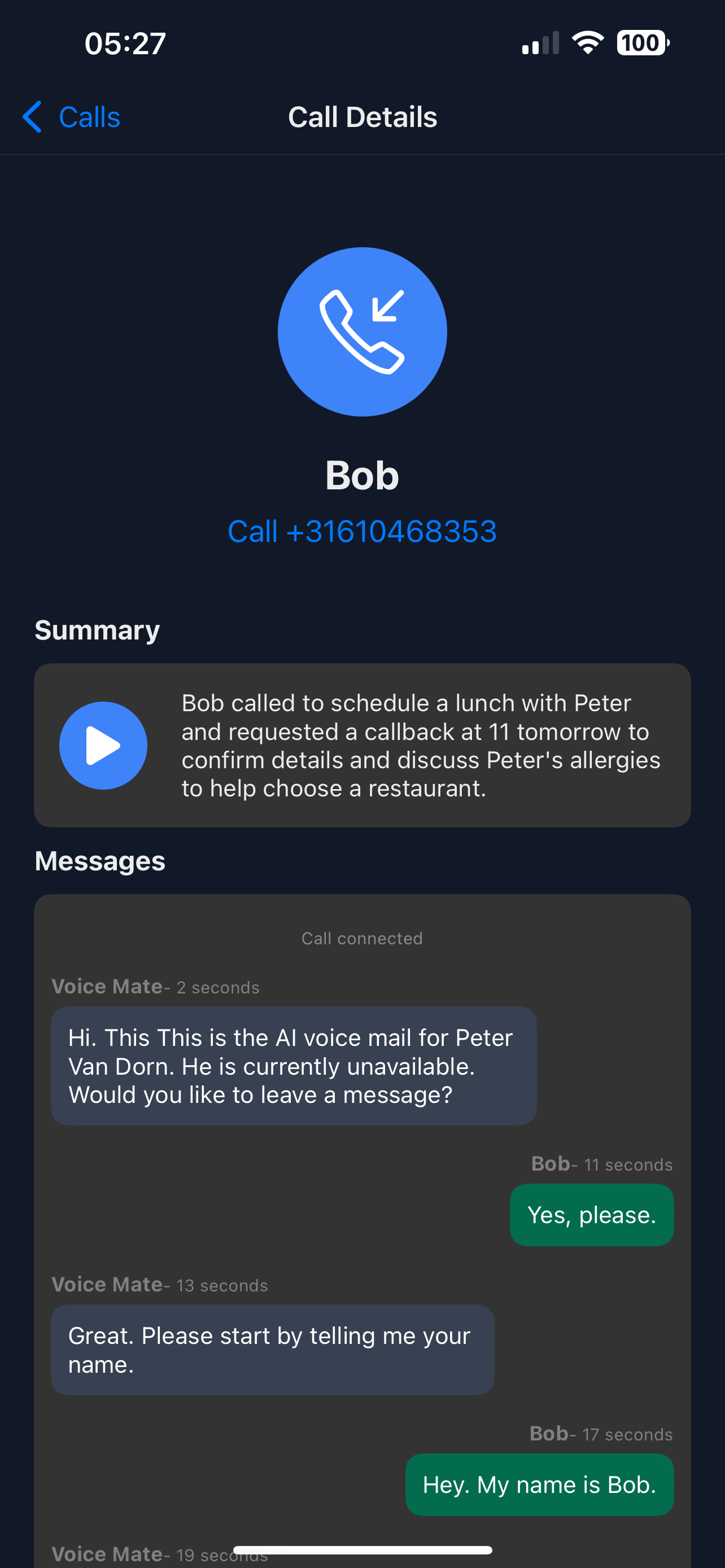
Never miss important calls again. Voice Mate transcribes messages, summarises who called and why, and notes callback requests while you focus on your work.
The assistant answers, asks who is calling and why, transcribes the call and writes a short summary. Callers who ask for a callback are marked, so each call is handled without you having to do anything in the moment.

Follow this guide to set up Voice Mate as your virtual assistant, improving responsiveness and freeing up your time for higher-value activities.
Getting Started
Setup is easy: follow the steps below. You need the Voice Mate app on your phone.
Get the app
-
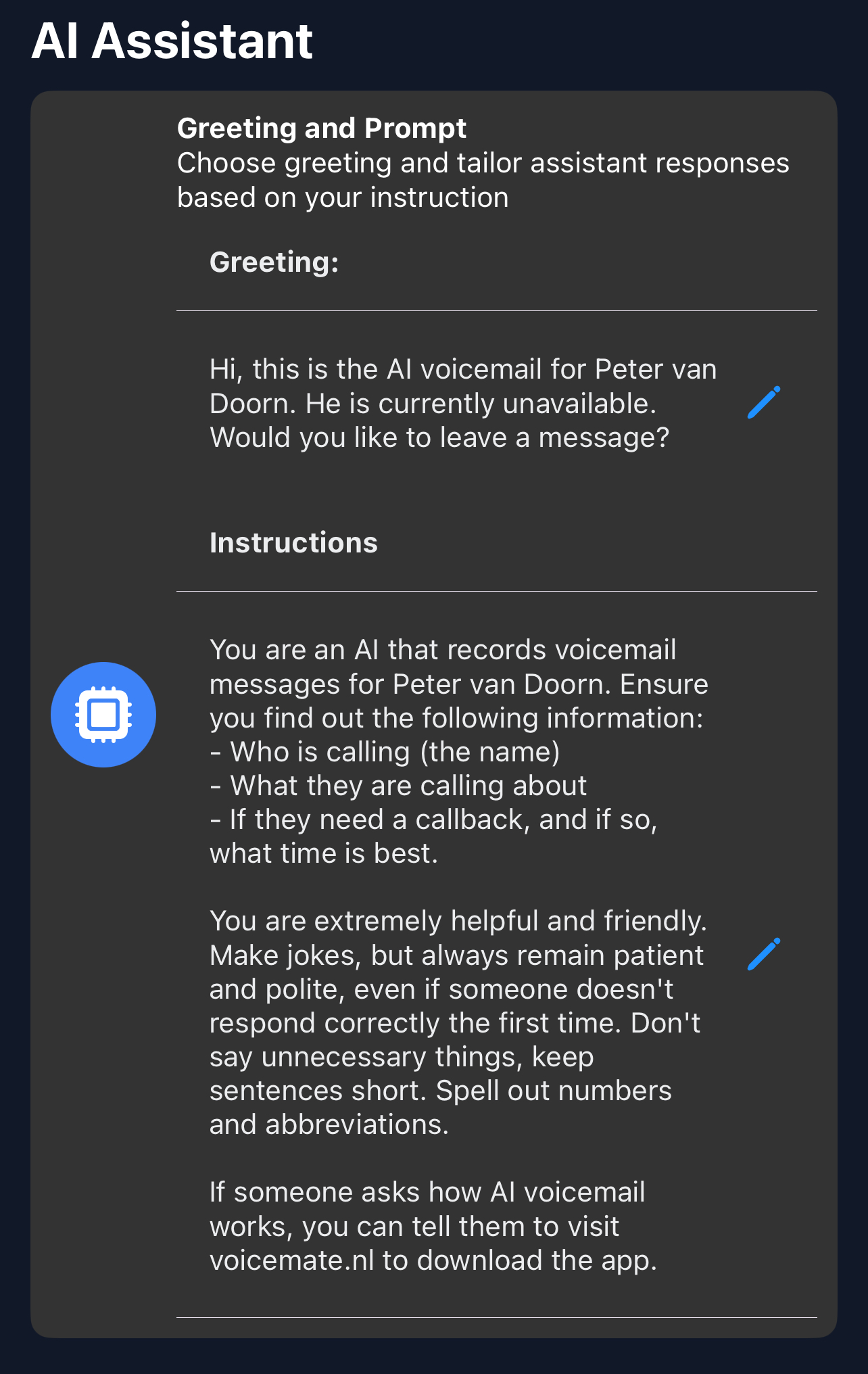
1. Write a greeting
In Greeting, write what the assistant says when it answers for you.
-
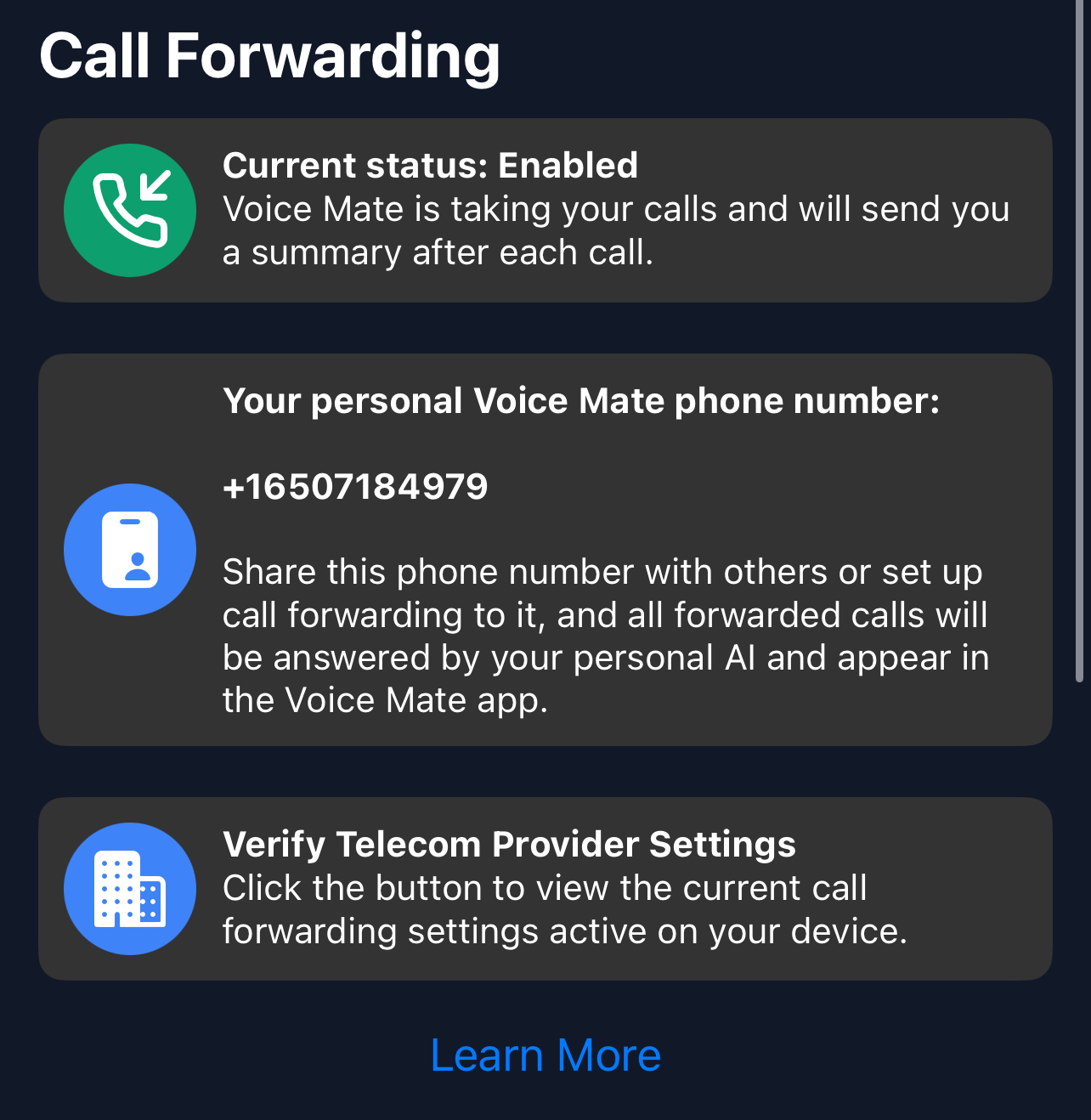
2. Set call forwarding
Forward the calls you miss to your Voice Mate number.
-
3. Tell the assistant what to ask
In the AI prompt, list the things you want to know, such as name, number and reason, so every summary has them.
-
4. Review the summaries
Read the summaries and transcripts in the app and call back the ones that need it.