Founder of Voice Mate
Automate Voicemail Management For Lawyers
Legal professionals often deal with time-sensitive calls. Voice Mate transcribes messages, flags urgent cases, and organizes follow-ups so lawyers can stay responsive and professional.
With AI handling voicemails, you can focus on client work while Voice Mate ensures critical calls are highlighted for immediate attention.

Set up Voice Mate to manage your calls, track inquiries, and maintain client trust — all without compromising your billable hours.
Getting Started
Setup is easy: follow the steps below. You need the Voice Mate app on your phone.
Get the app
-
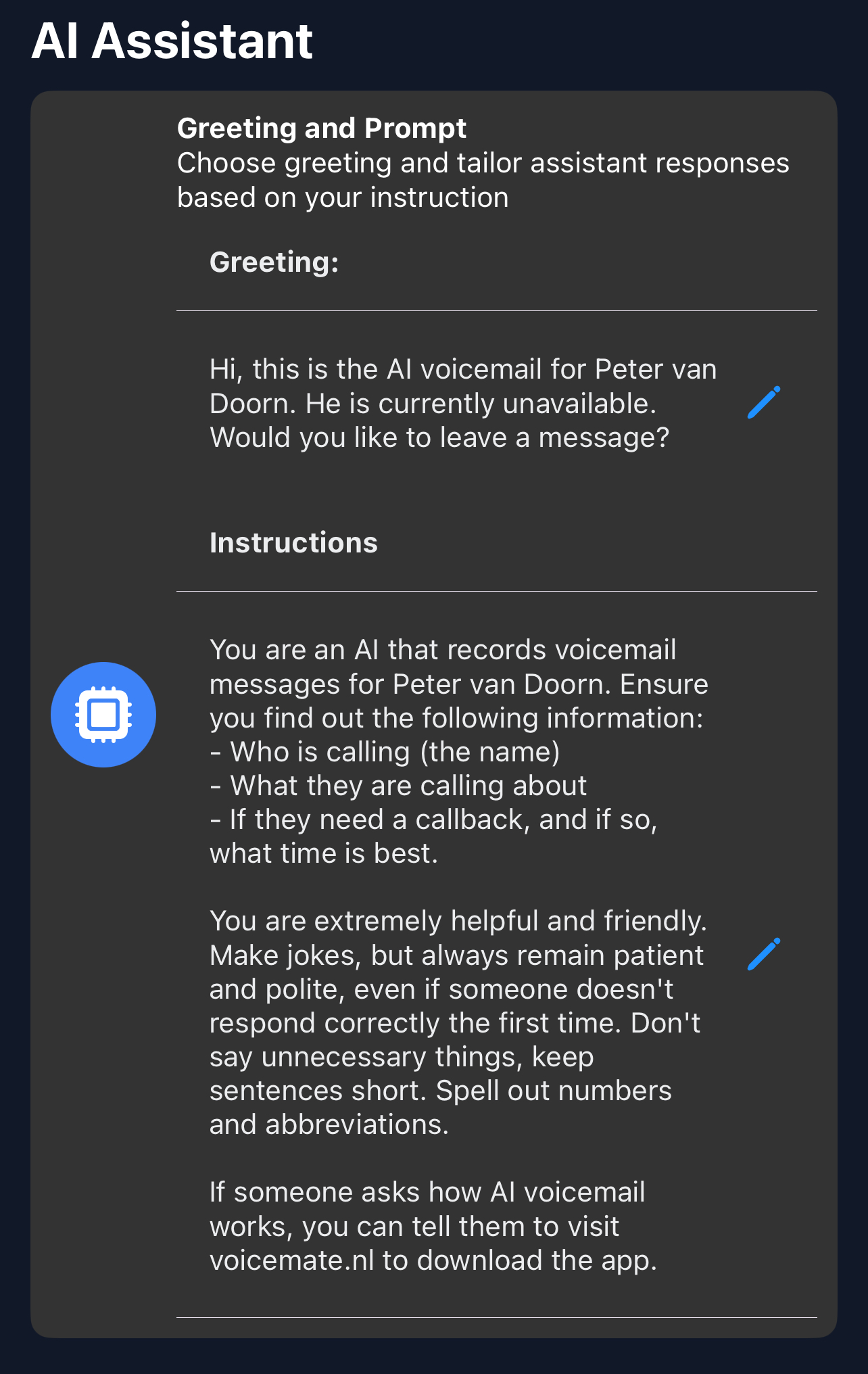
1. Upload Greeting
Let clients know their message is being handled professionally.
-
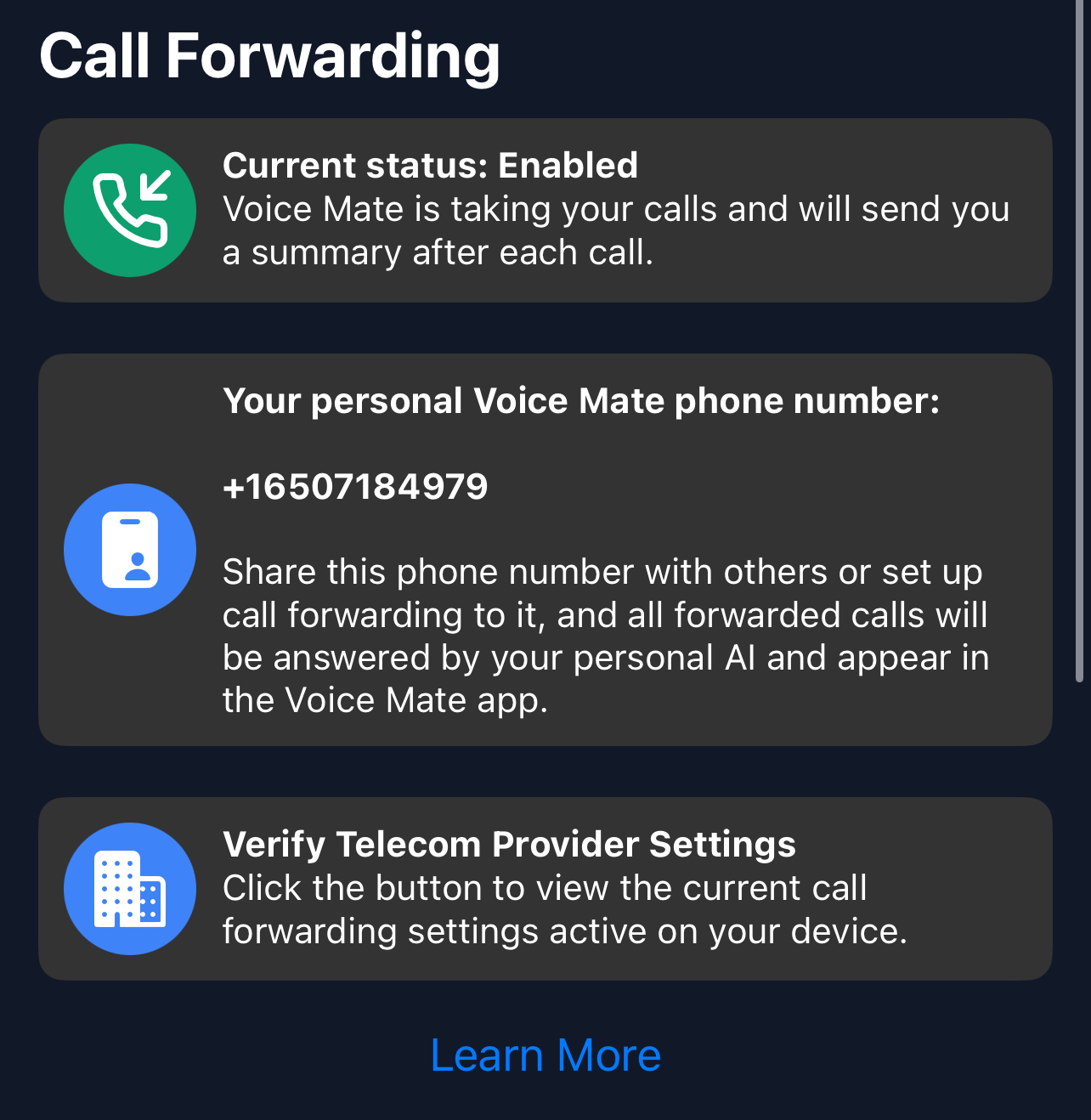
2. Enable Call Forwarding
All calls forward to Voice Mate for transcription and prioritization.
-
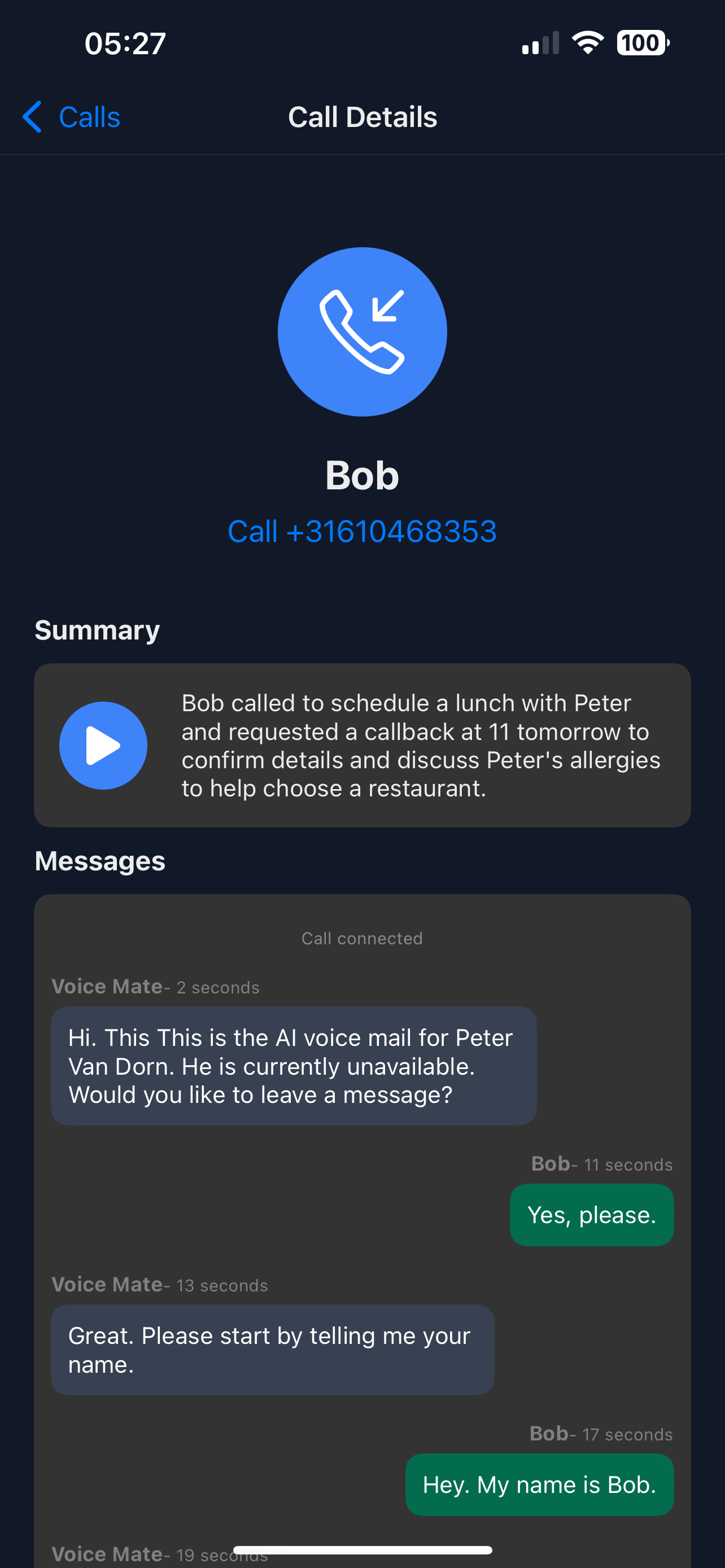
3. Review Messages
Check transcripts and schedule follow-ups efficiently.