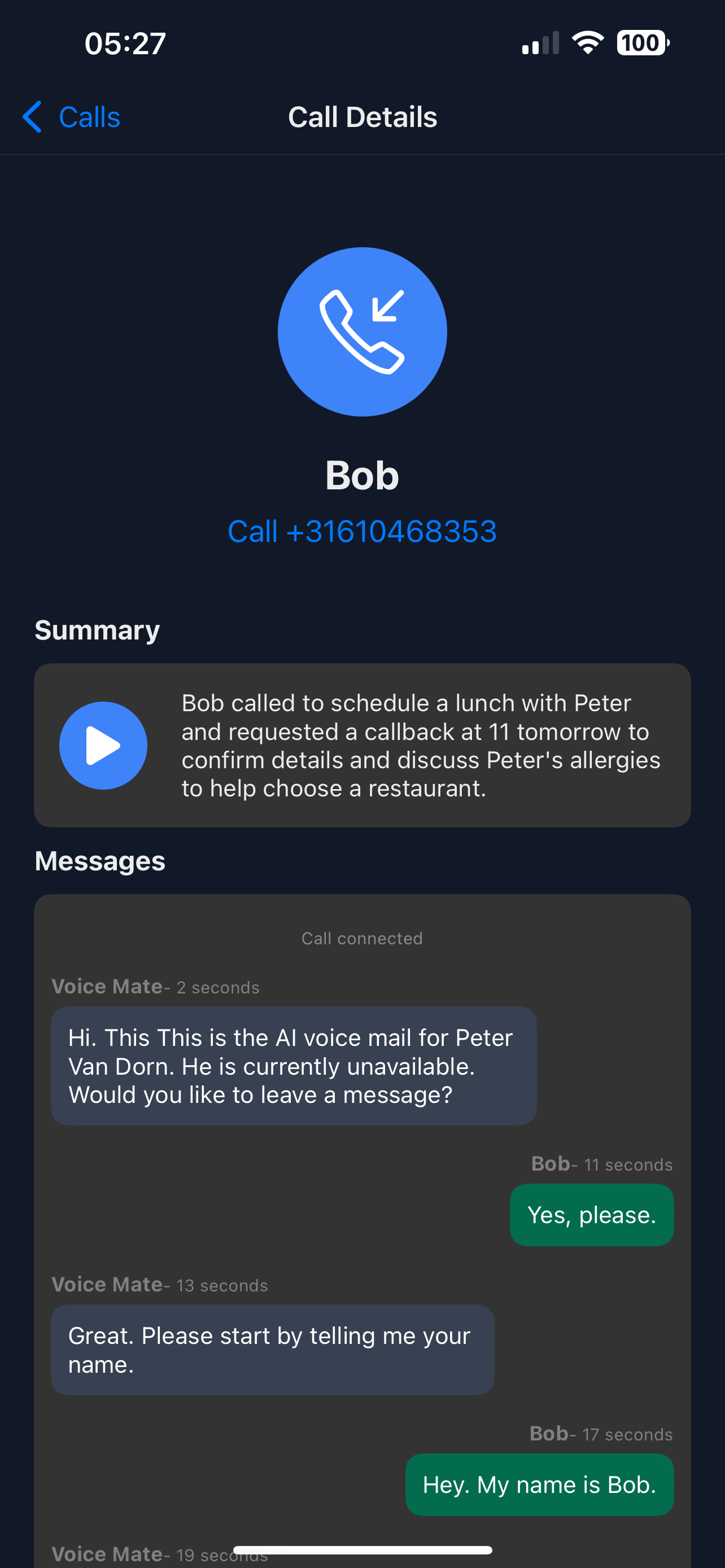
Founder of Voice Mate
Automate Voicemail Management For Recruiters
Recruiters often miss calls from candidates or hiring managers. Voice Mate transcribes messages, summarises who called and why, and makes quick follow-ups easy.
By automating voicemail handling, Voice Mate ensures no candidate is left waiting and no opportunity is missed in the recruitment pipeline.

Set up Voice Mate to stay professional, organized, and responsive throughout the hiring process.
Getting Started
Setup is easy: follow the steps below. You need the Voice Mate app on your phone.
Get the app
-
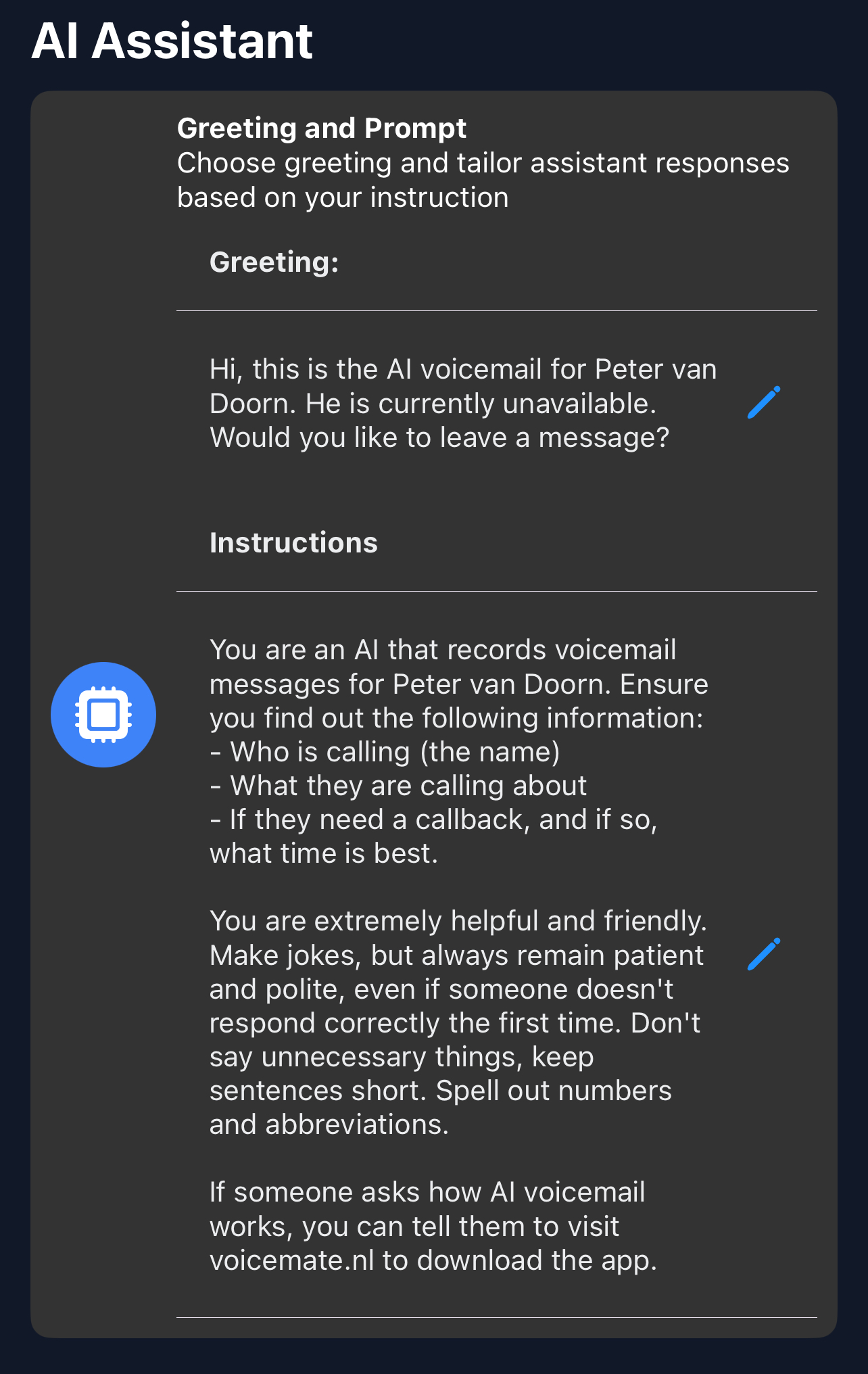
1. Write a greeting
A professional greeting assures candidates their call is being processed.
-
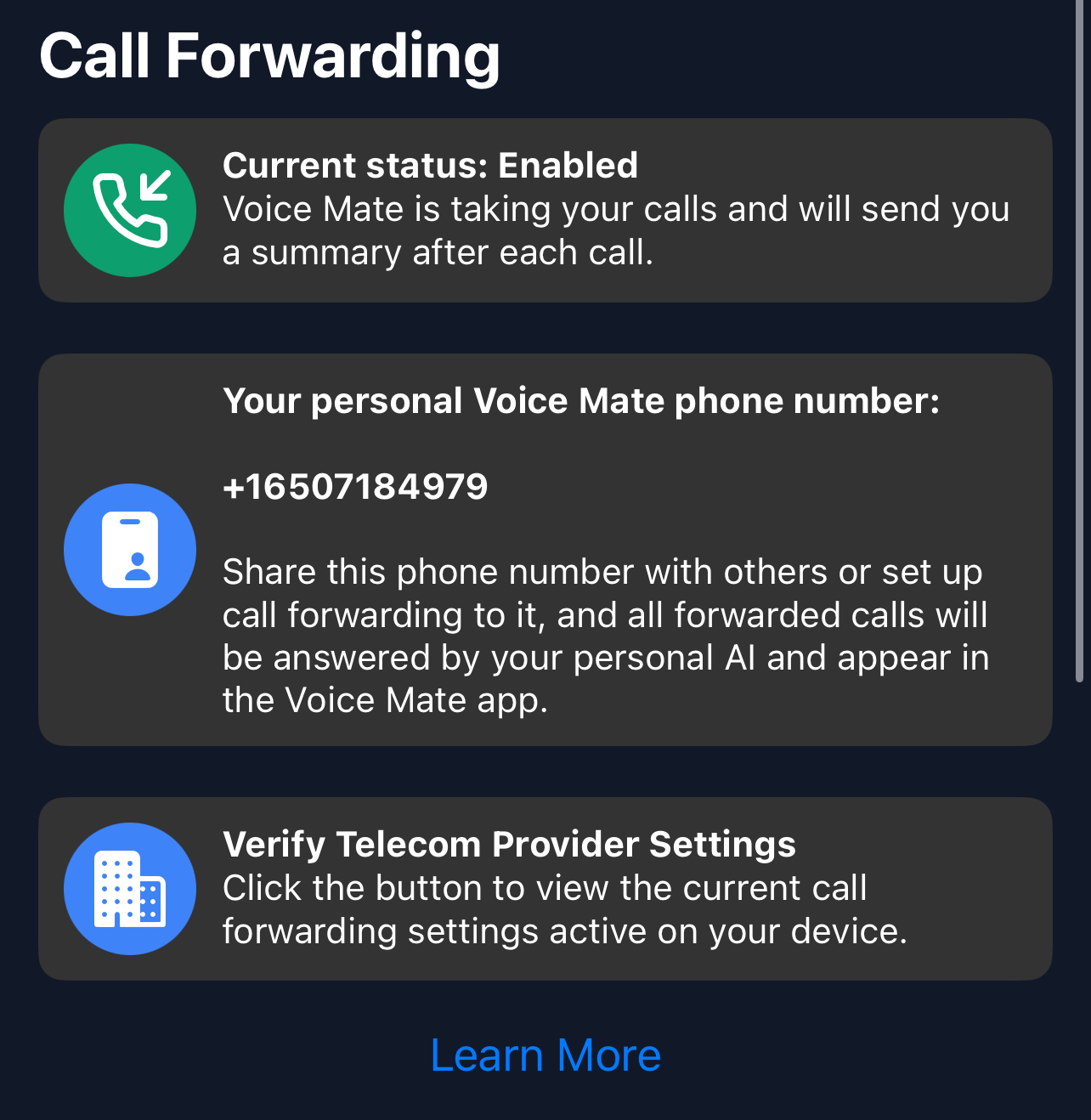
2. Forward calls
Direct the recruitment calls you miss to Voice Mate.
-
3. Ask who is calling and for which role
In the AI prompt, ask for the name, the vacancy and whether it is urgent, so candidate calls stand out from routine questions.
-
4. Review the summaries
Check the call details and plan follow-ups efficiently.