Founder of Voice Mate
Link Voicemate To Slack
Effective team communication is key to staying on top of customer interactions. By integrating Voice Mate with Slack, you can ensure that your team is instantly notified whenever a voicemail is received. This integration helps teams respond to calls quickly, improving response times and overall customer service.
Instead of manually checking for new voicemails or missing critical messages, Slack notifications will instantly alert your team when a call comes in. This ensures that no voicemail goes unnoticed, making it easier for sales, support, or customer service teams to follow up efficiently.

One of the most powerful aspects of this integration is that Voice Mate can send notifications directly to a designated Slack channel. Whether your team uses a shared support channel or a private sales group, the integration ensures that voicemail alerts are delivered to the right place in real-time. By connecting Voice Mate to Slack, businesses can improve response times, reduce the risk of missed calls, and maintain better organization of customer interactions. Whether you're a small business or a large enterprise, keeping your team informed about incoming calls has never been easier.
Getting Started
Setup is easy: follow the steps below. You need the Voice Mate app on your phone.
Get the app
-
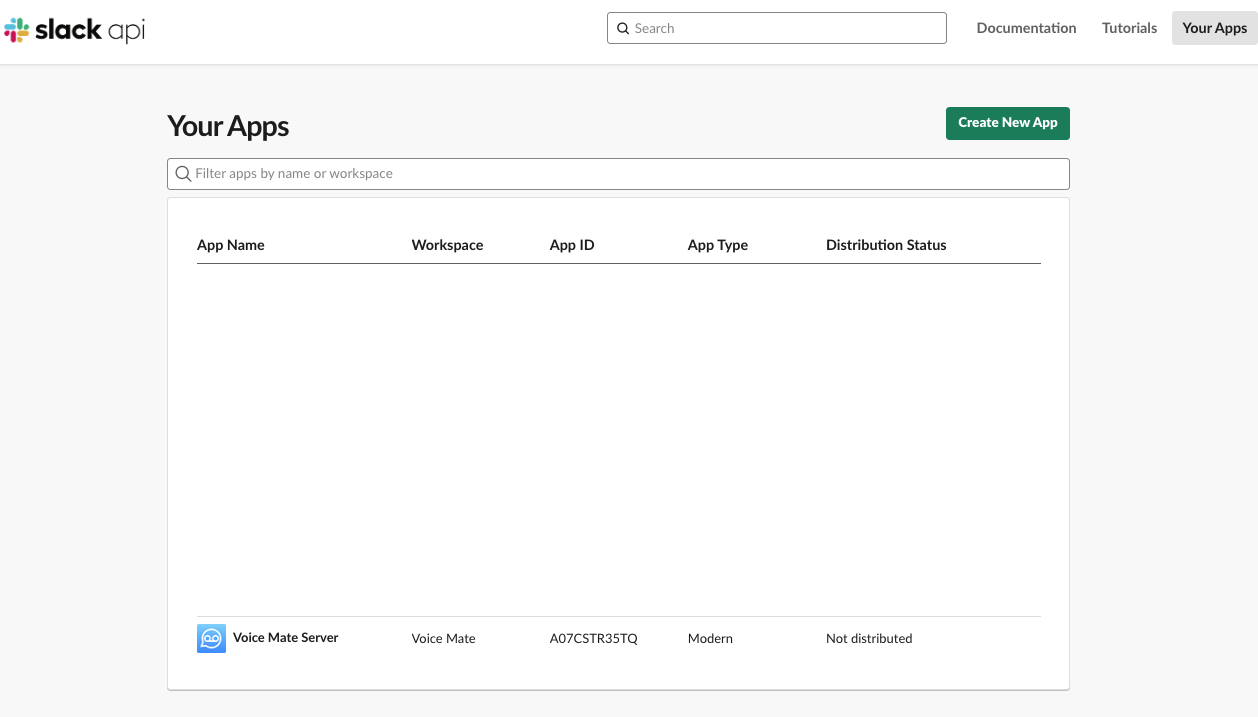
1. Create a new Slack App
Go to api.slack.com/apps and create a new app
-
2. Set up your new slack app
Navigate to incoming webhooks after setting up the basic details of your new Slack app

-
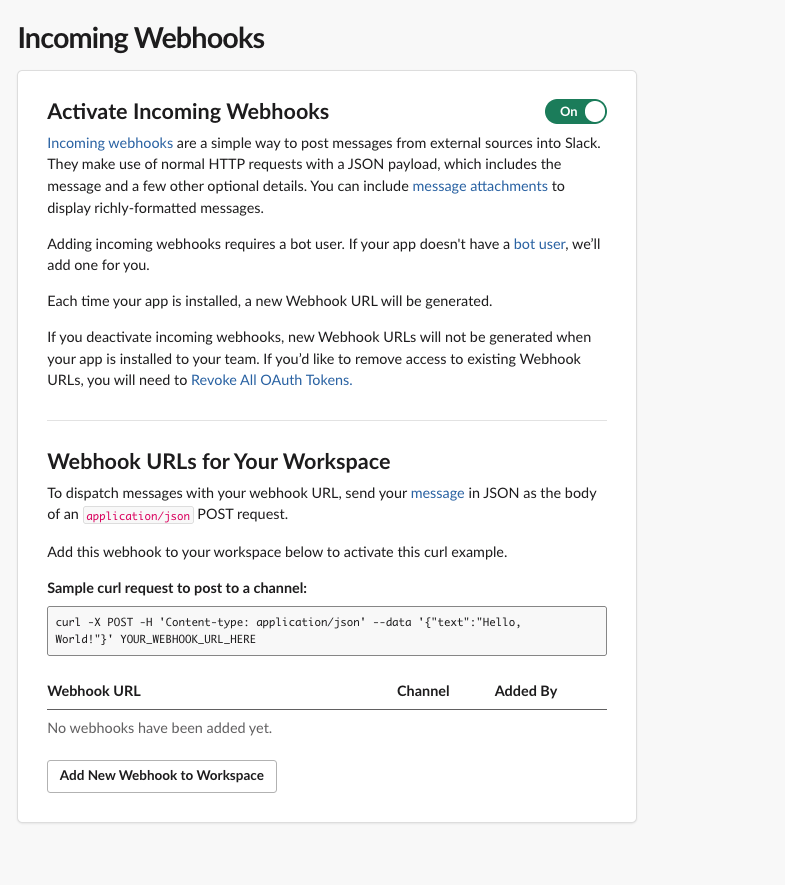
3. Enable Incoming webhooks
Enable the webhooks by flipping the toggle
-
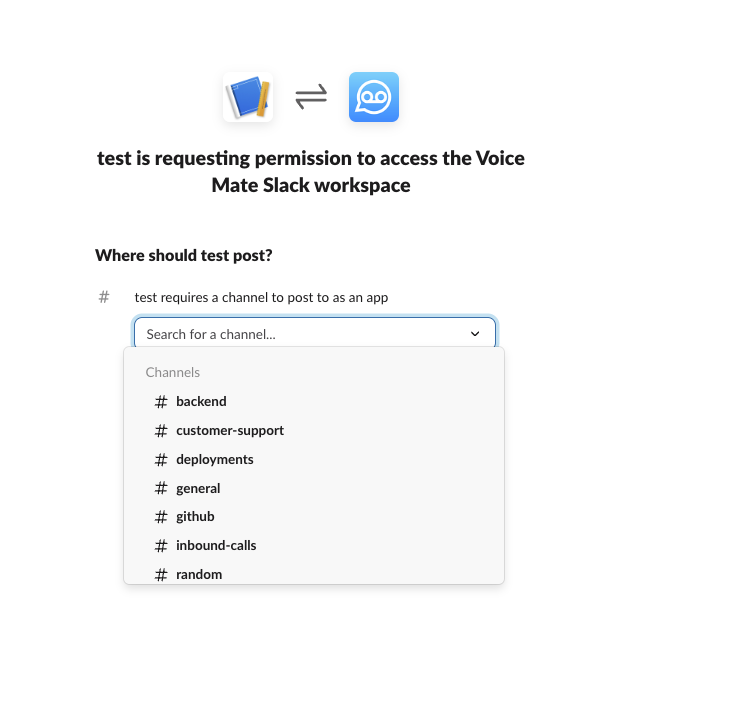
4. Pick the channel Voice Mate should post to
Select what channel Voice Mate should deliver the messages to.
-
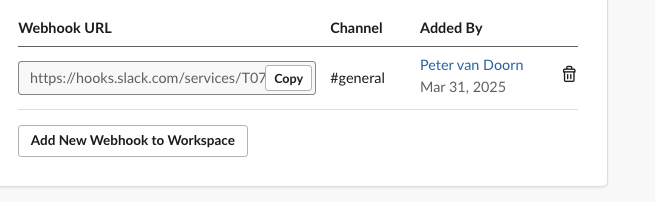
5. Copy the webhook URL
Grab the webhook URL that slack created, so we can add it to Voice Mate
-
6. Add the webhook URL to Voice Mate
Paste the Voice Mate URL into the third party integrations screen

-
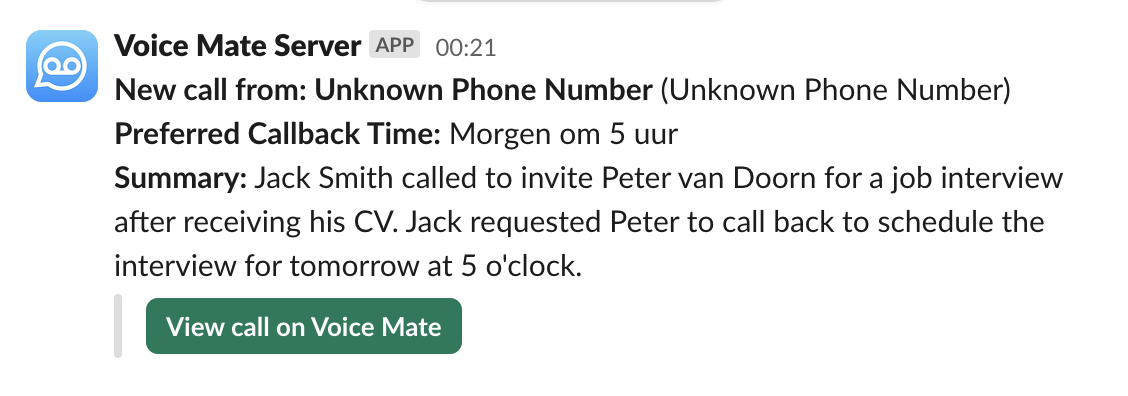
7. Start receiving slack messages for new calls
Now whenever a new call is processed in Voice Mate a message will be sent to the slack channel you specified.