Founder of Voice Mate
Set Business Hours For Voicemail
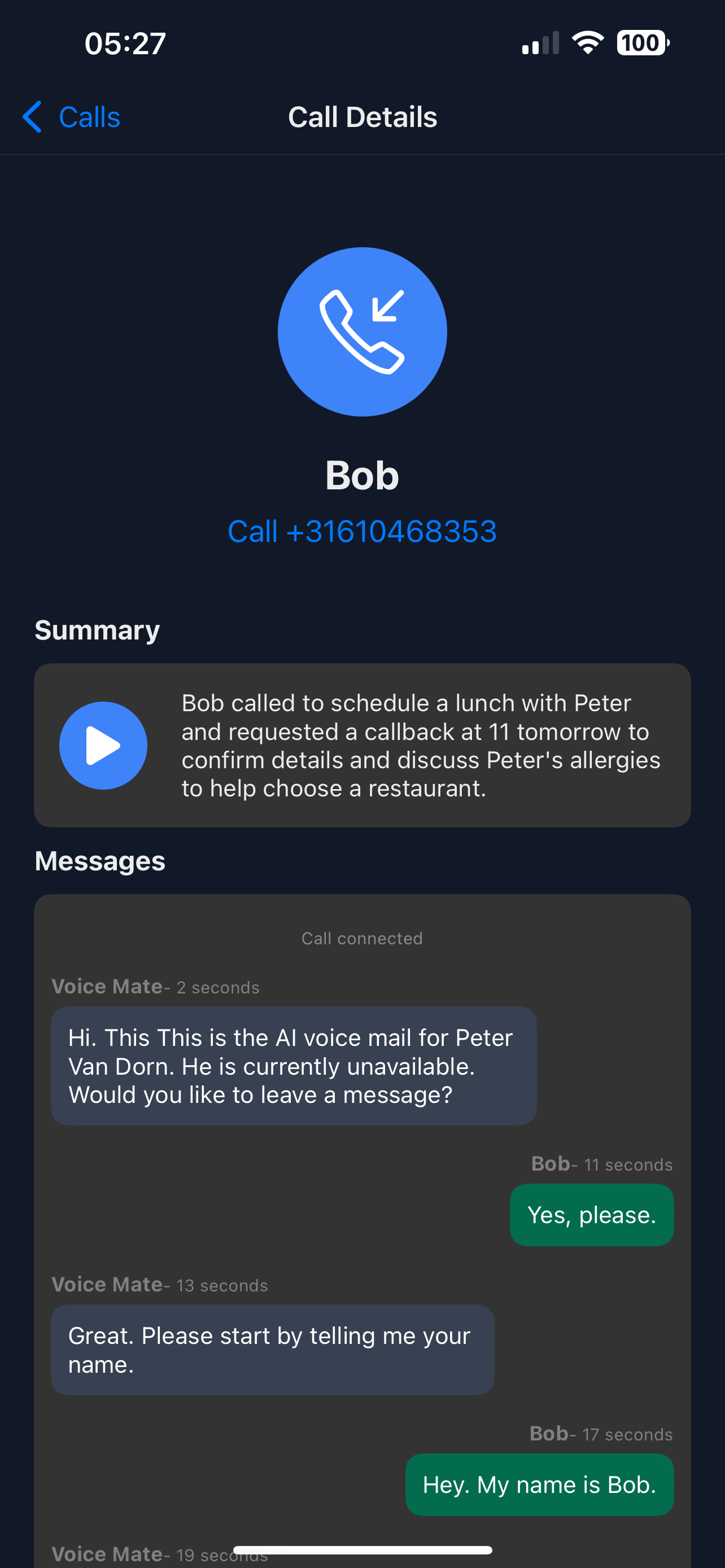
Clients who call after hours still deserve attention. Voice Mate answers, takes the message and sends you a summary, so you can respond first thing in the morning.
Voice Mate does not follow a schedule of its own. You decide when it covers for you: switch call forwarding on when you close, or forward only the calls you do not answer. Either way, callers reach an assistant instead of a beep. Tell the assistant your opening hours in the AI prompt and it can give them to callers, so they know when to expect your call.

The result is professionalism and responsiveness even when nobody is at the desk, which builds client trust.
Getting Started
Setup is easy: follow the steps below. You need the Voice Mate app on your phone.
Get the app
-
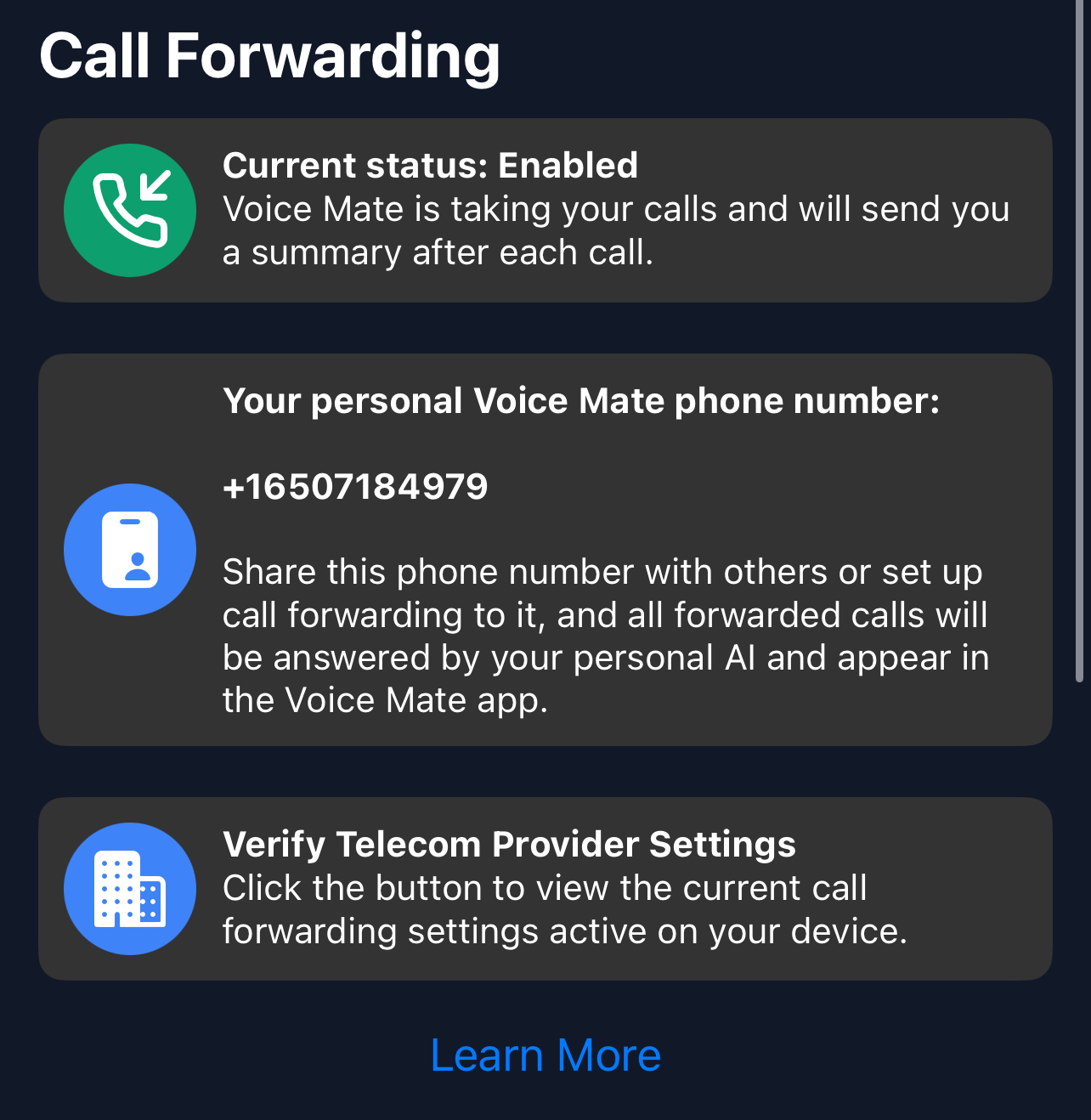
1. Switch forwarding on when you close
Tap the forwarding switch in the app at the end of the day, or set forwarding for unanswered calls so it covers you all day.
-
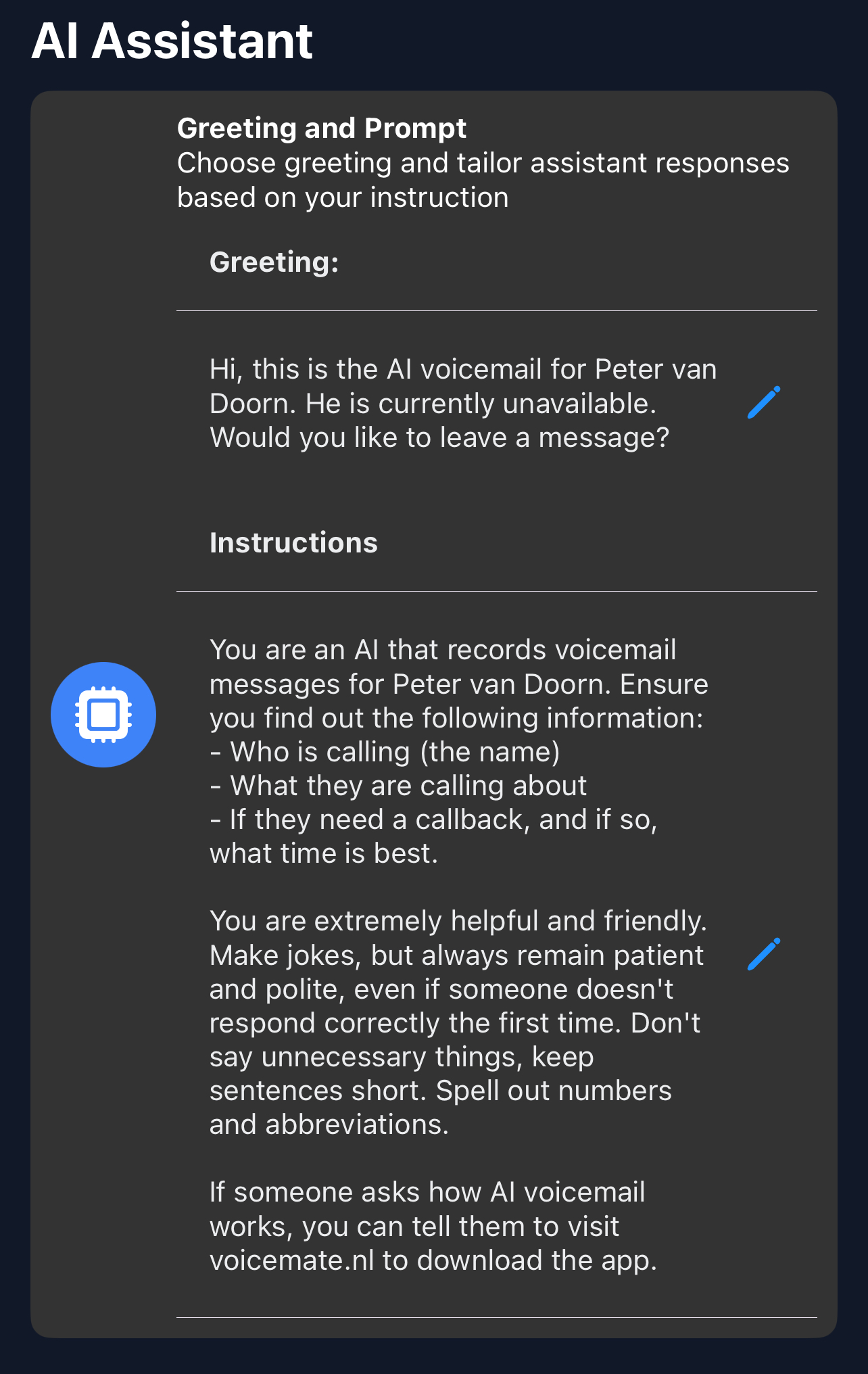
2. Give your opening hours in the AI prompt
Open Settings > AI prompt and write when you are open and when callers can expect a reply.
-
3. Write an after-hours greeting
In Greeting, say that you are closed and that the caller can leave a message. Callers then know what happens next.
-
4. Check the summaries next morning
Read the summaries, return the urgent calls first and mark them as read.