Founder of Voice Mate
Ai Voicemail For Accountants And Bookkeepers
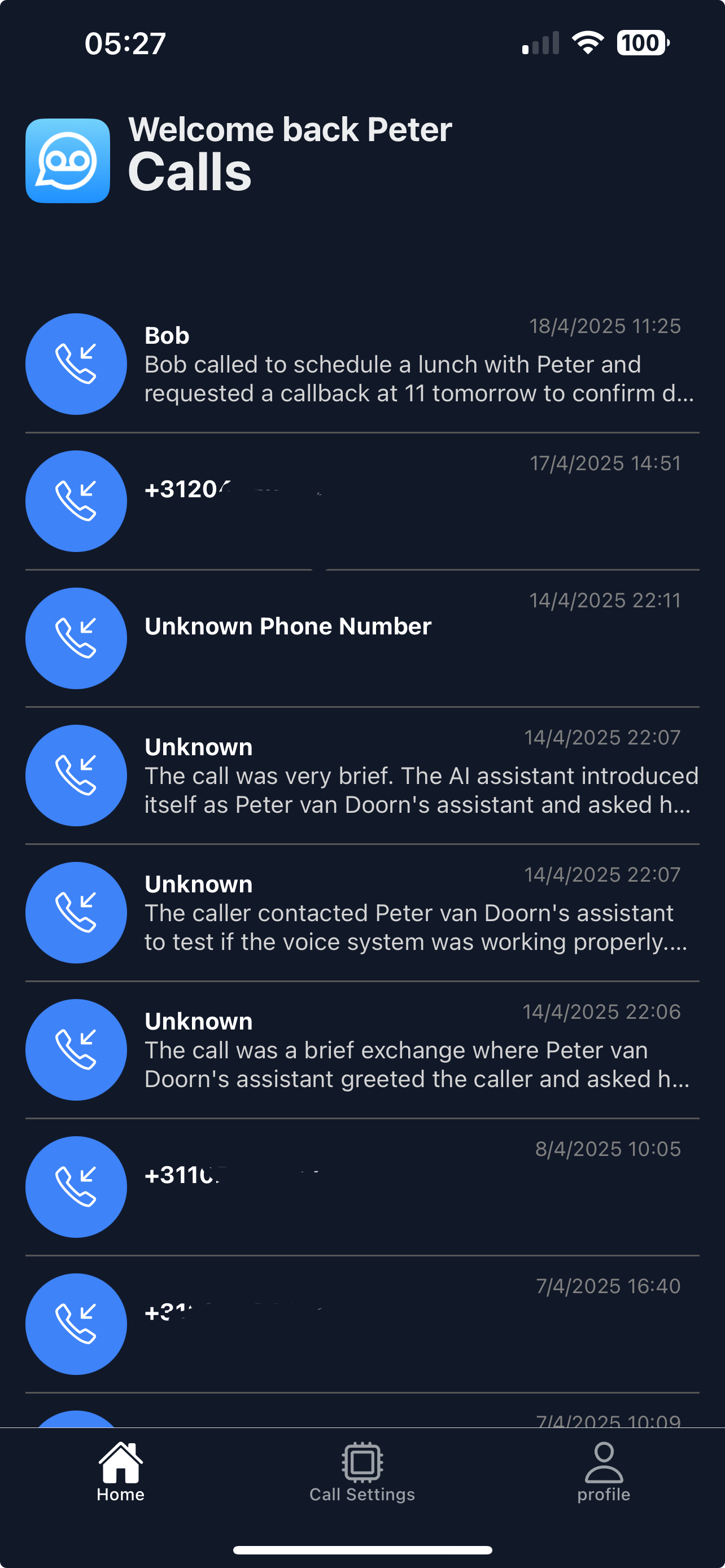
Accountants and bookkeepers spend long stretches in focused work, and an interrupted spreadsheet costs real time. Voice Mate answers when you cannot, finds out who is calling and what they need, and gives you a summary instead of a pile of voicemails.
Most calls to an accounting practice fall into a few groups: clients with a quick question, people asking about deadlines, new enquiries and documents that are on their way. Each needs a different response, and none needs you to drop your work this minute. With Voice Mate the assistant asks for the caller's name, company and the topic, and you read the summaries in one go between tasks. New enquiries can go to your email or CRM so they are not forgotten.

Add instructions in the AI prompt such as asking for the client's company name and whether the matter has a deadline. That makes the summaries ready to act on and lets you sort urgent from routine at a glance.
Getting Started
Setup is easy: follow the steps below. You need the Voice Mate app on your phone.
Get the app
-
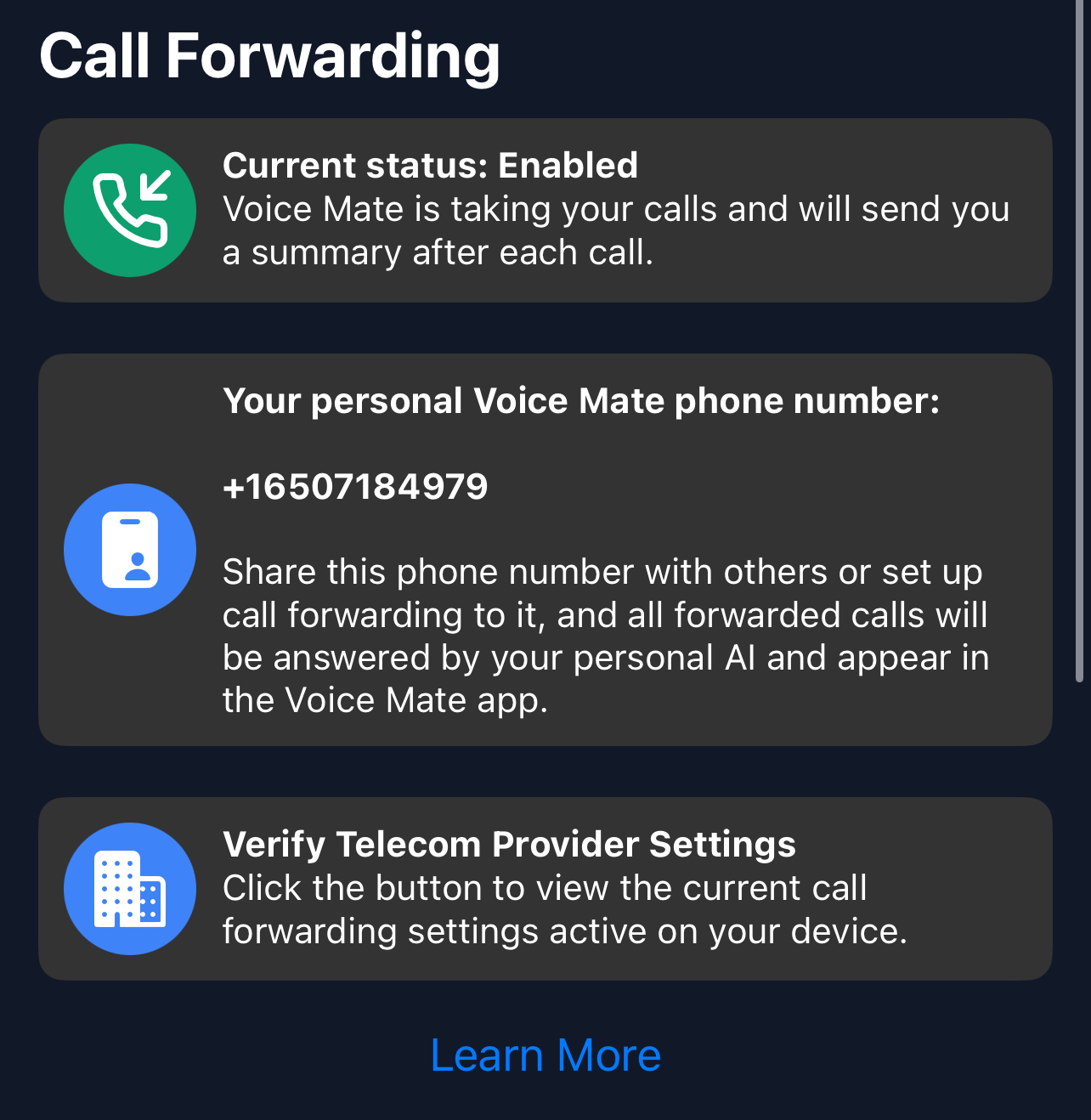
1. Turn on call forwarding
In the Voice Mate app, open Settings and switch on Call forwarding. The app shows the exact code to dial for your carrier, so calls you miss or decline are passed to Voice Mate. Use Check carrier settings if you want to confirm what your carrier currently has set.
-
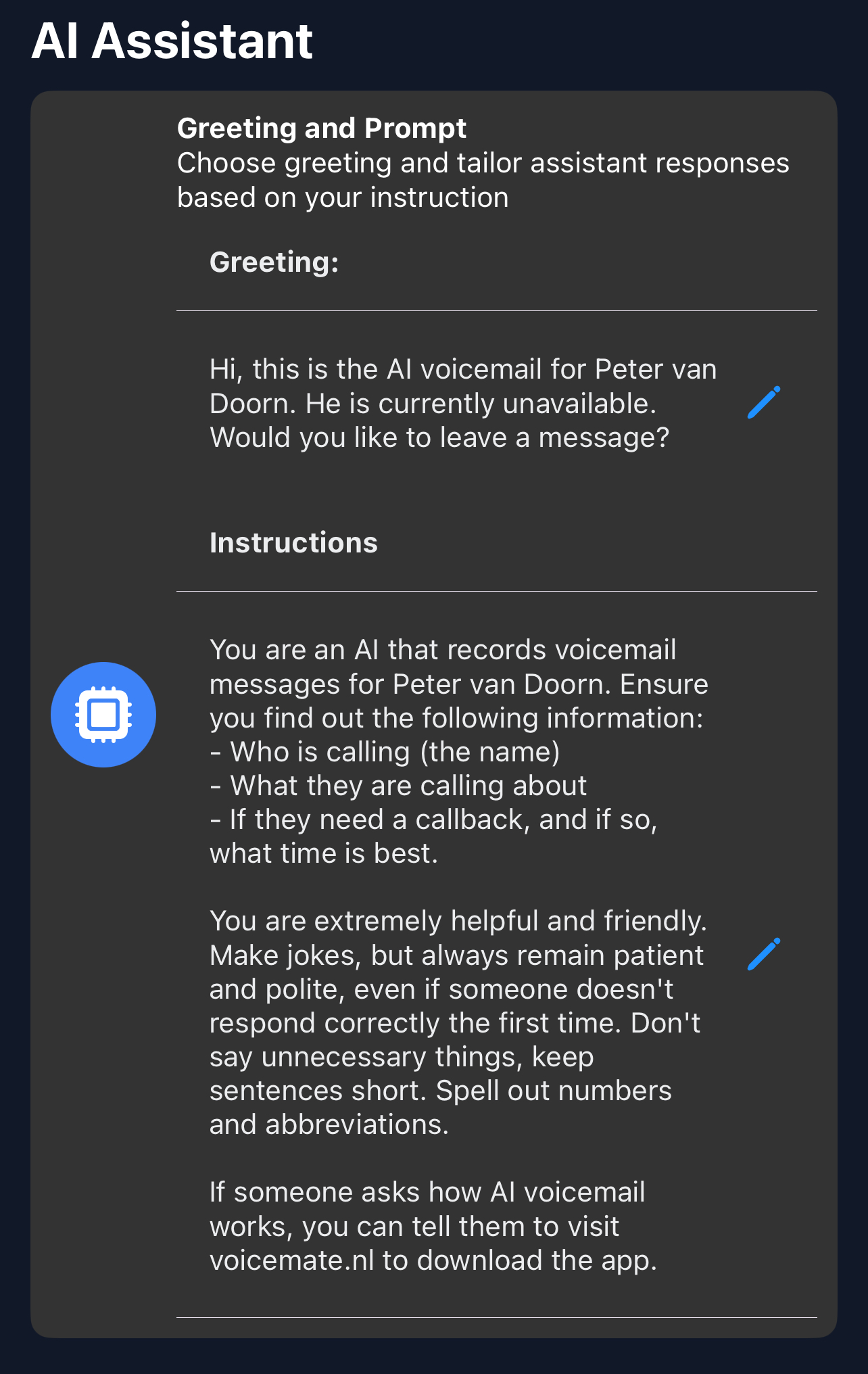
2. Ask the questions that matter
In Settings, AI prompt, tell the assistant to always get the caller's name, company, the topic (tax return, payroll, VAT, other) and whether there is a deadline.
-
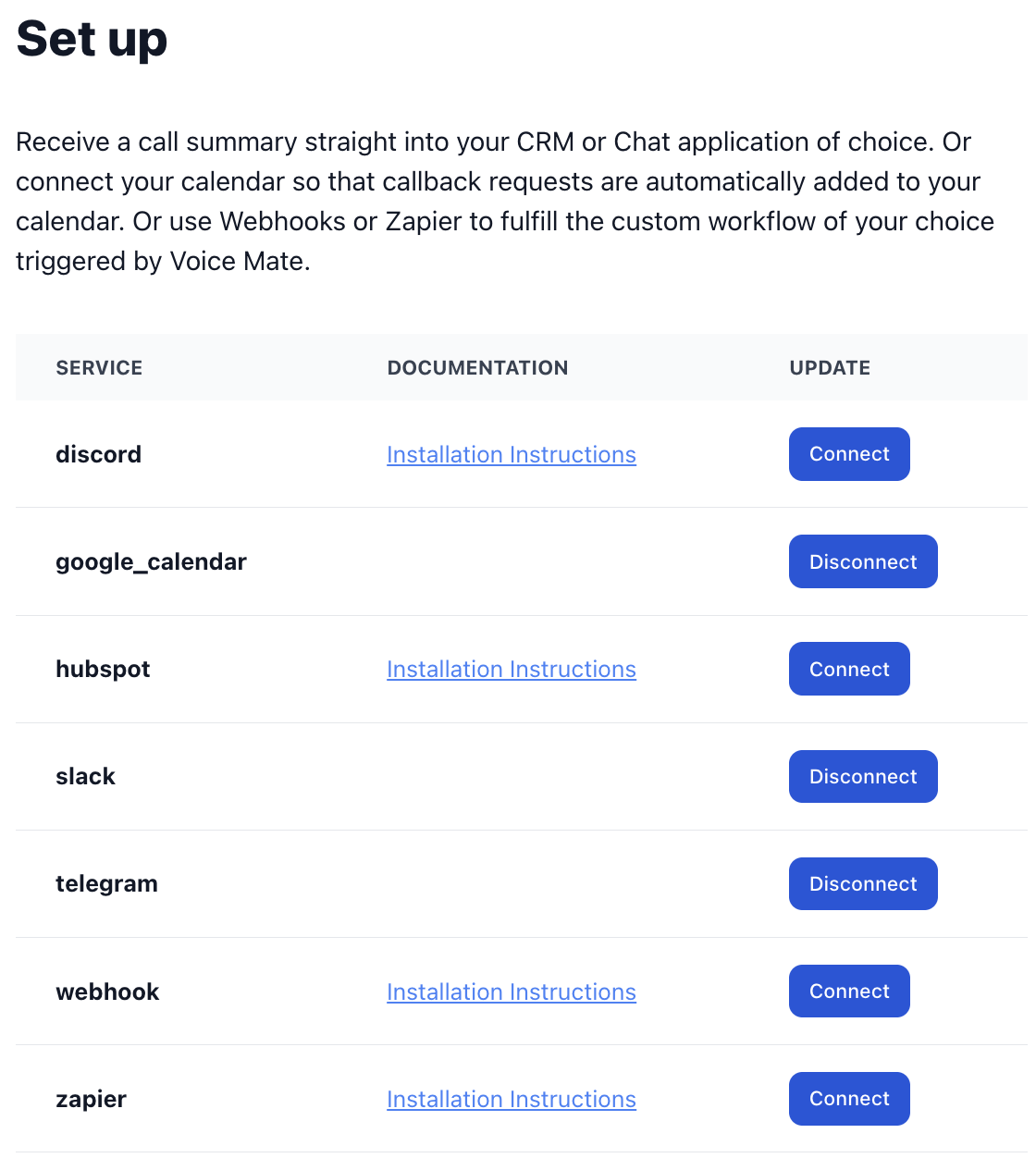
3. Send new enquiries where you will see them
Connect email or Slack under Connected Apps so new enquiries reach you or your colleague without opening the app.
-
4. Read summaries in batches
Check the call list twice a day instead of reacting to every call, and call back in order of urgency.