Founder of Voice Mate
Ai Voicemail For Coaches And Consultants
Coaches and consultants block out time for clients and cannot take calls during sessions. Voice Mate answers, finds out who is calling and what they are looking for, and gives you a summary so you can follow up with the right people first.
Prospective clients often call once. If nobody picks up and the voicemail is a short fragment, the opportunity is easy to lose. If the assistant gets their name, what they want help with and when they are free, you can reply with something specific. It also keeps your sessions undisturbed: silence your phone, leave forwarding on and review the calls when you are done.

Use the summaries to prioritise. New enquiries and existing clients with an urgent matter come first; everything else can be answered in a scheduled callback block.
Getting Started
Setup is easy: follow the steps below. You need the Voice Mate app on your phone.
Get the app
-
1. Turn on call forwarding
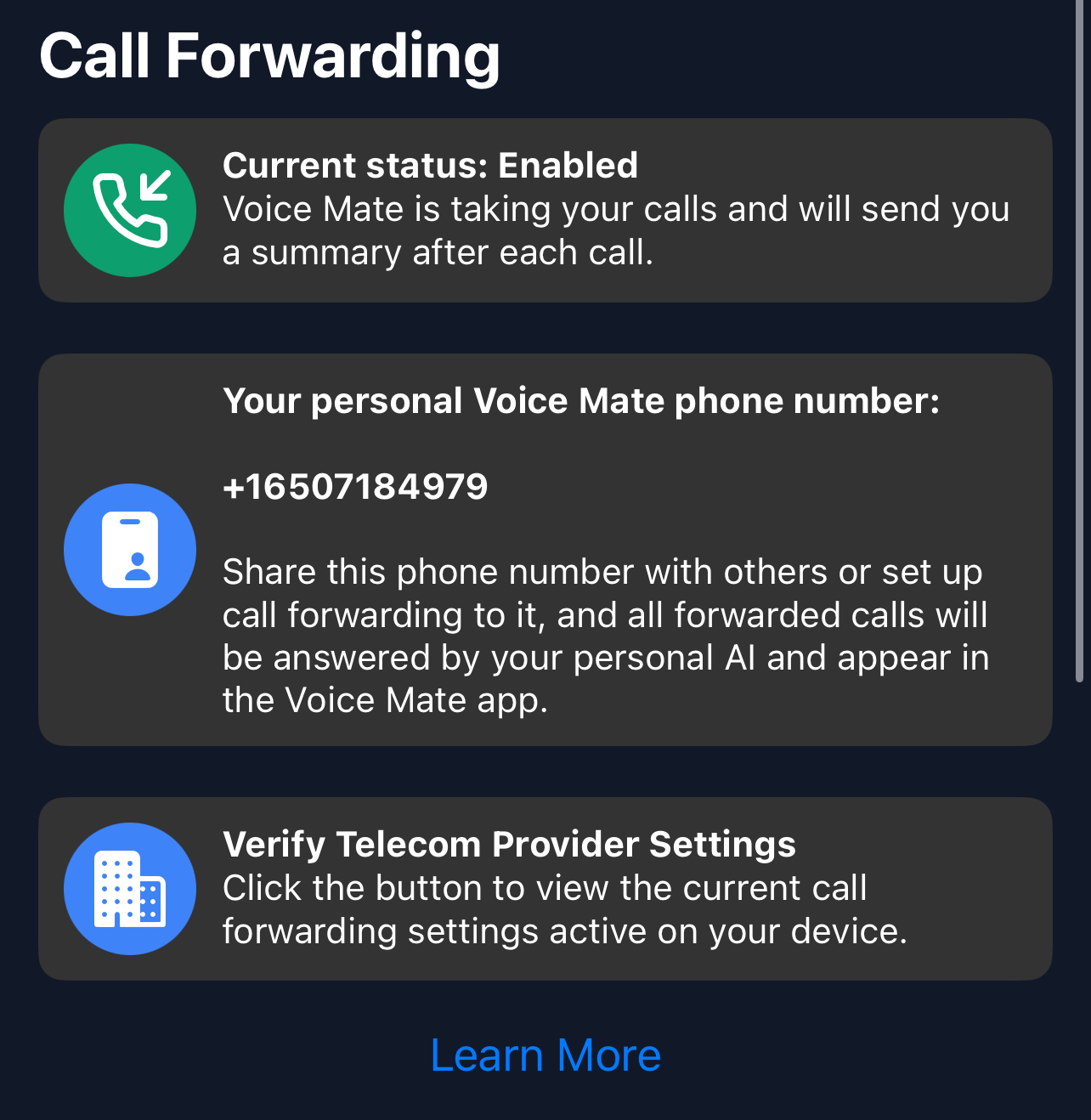
In the Voice Mate app, open Settings and switch on Call forwarding. The app shows the exact code to dial for your carrier, so calls you miss or decline are passed to Voice Mate. Use Check carrier settings if you want to confirm what your carrier currently has set.
-
2. Describe your services in the instructions
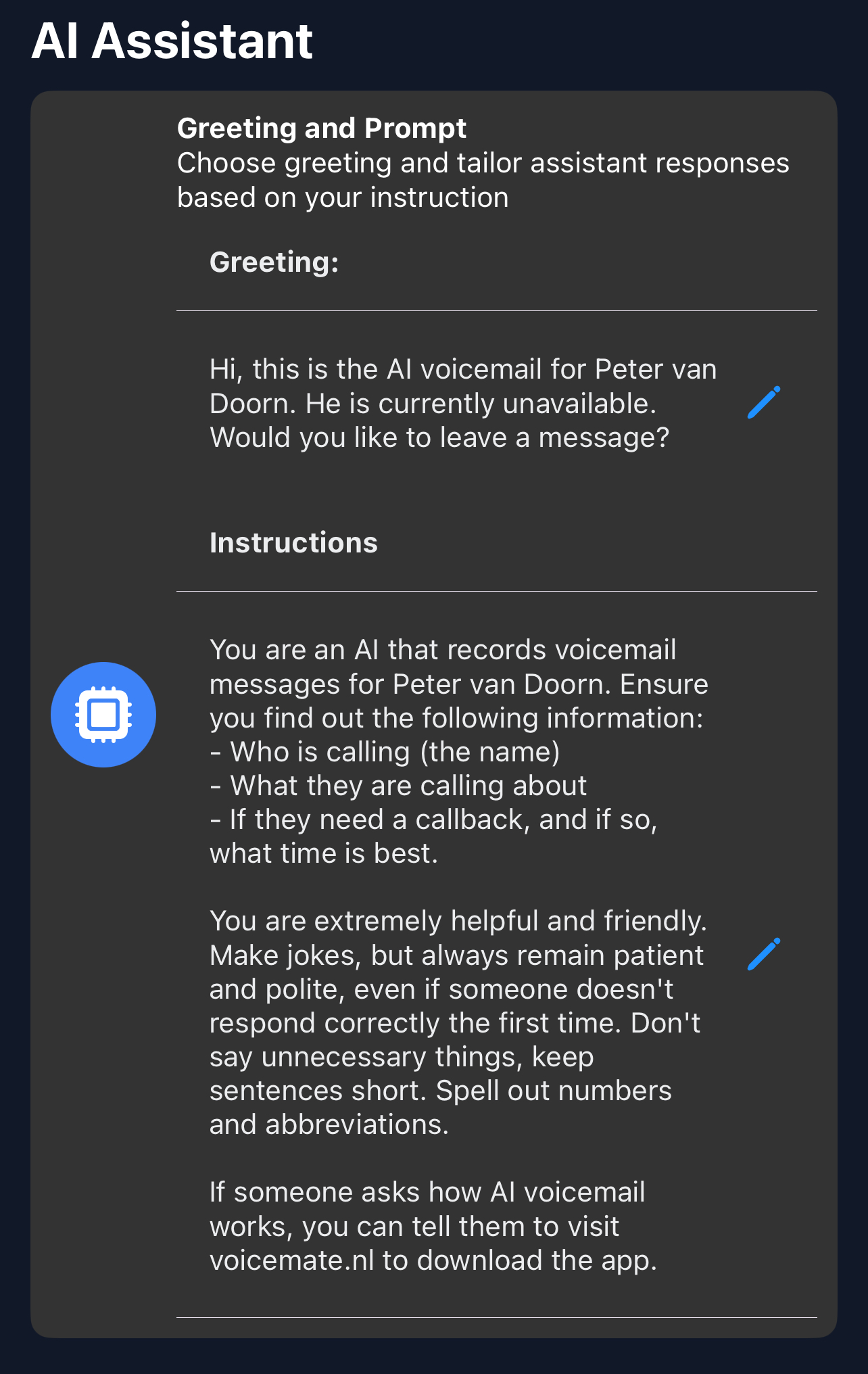
In AI prompt, tell the assistant briefly what you offer so it can ask relevant follow-up questions without promising anything.
-
3. Protect your session time
Keep forwarding on during sessions and let calls go to Voice Mate instead of ringing through.
-
4. Block a callback slot
Set aside a fixed time each day to go through the summaries and call people back.