Founder of Voice Mate
Ai Voicemail For Property Managers
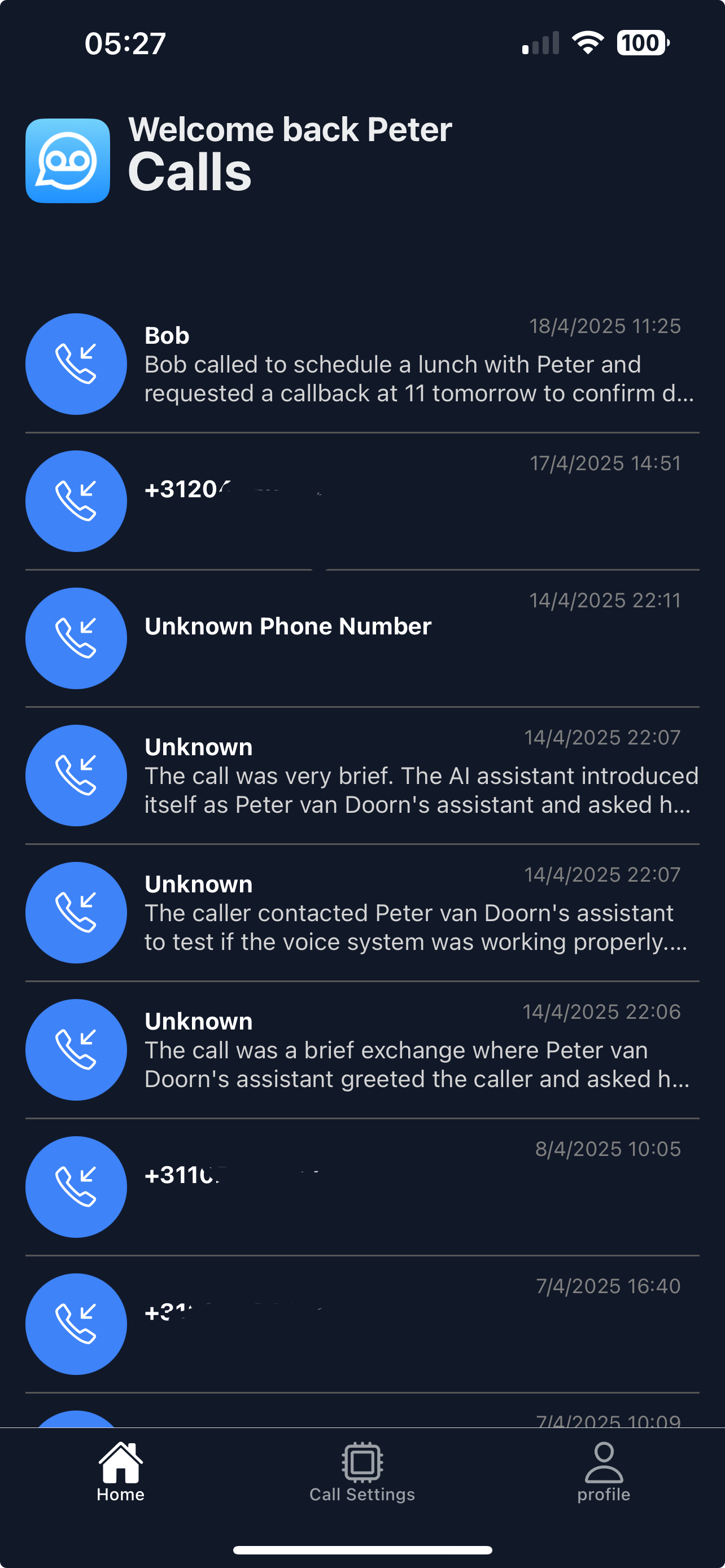
Property managers get calls at every hour: a leaking tap, a locked-out tenant, an owner asking about rent. Voice Mate answers each call, asks for the address and the problem, and gives you a summary you can pass straight to a contractor.
The difficulty with property calls is not volume but detail. A message that says call me about the flat tells you nothing, while a summary with the address, the issue and how urgent it is lets you act in seconds. Tell the assistant what to collect: the property address and unit, the nature of the problem, whether anyone is at risk or water or heating is affected, and the best number and time to reach the tenant.

Pair it with a Slack channel or an email address your maintenance team shares, so urgent reports reach the person on duty even when you are away from your phone.
Getting Started
Setup is easy: follow the steps below. You need the Voice Mate app on your phone.
Get the app
-
1. Turn on call forwarding
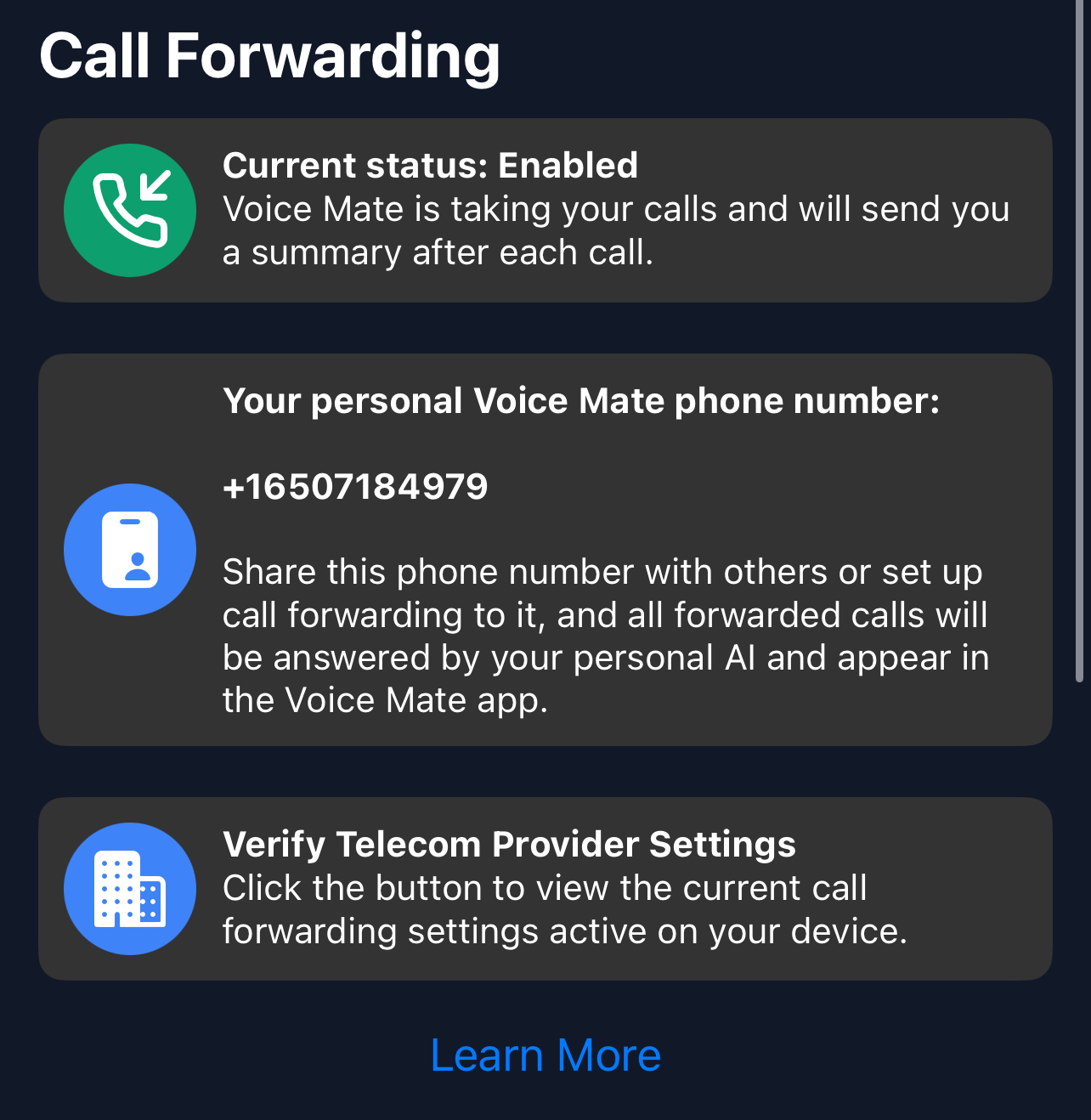
In the Voice Mate app, open Settings and switch on Call forwarding. The app shows the exact code to dial for your carrier, so calls you miss or decline are passed to Voice Mate. Use Check carrier settings if you want to confirm what your carrier currently has set.
-
2. Collect the right details
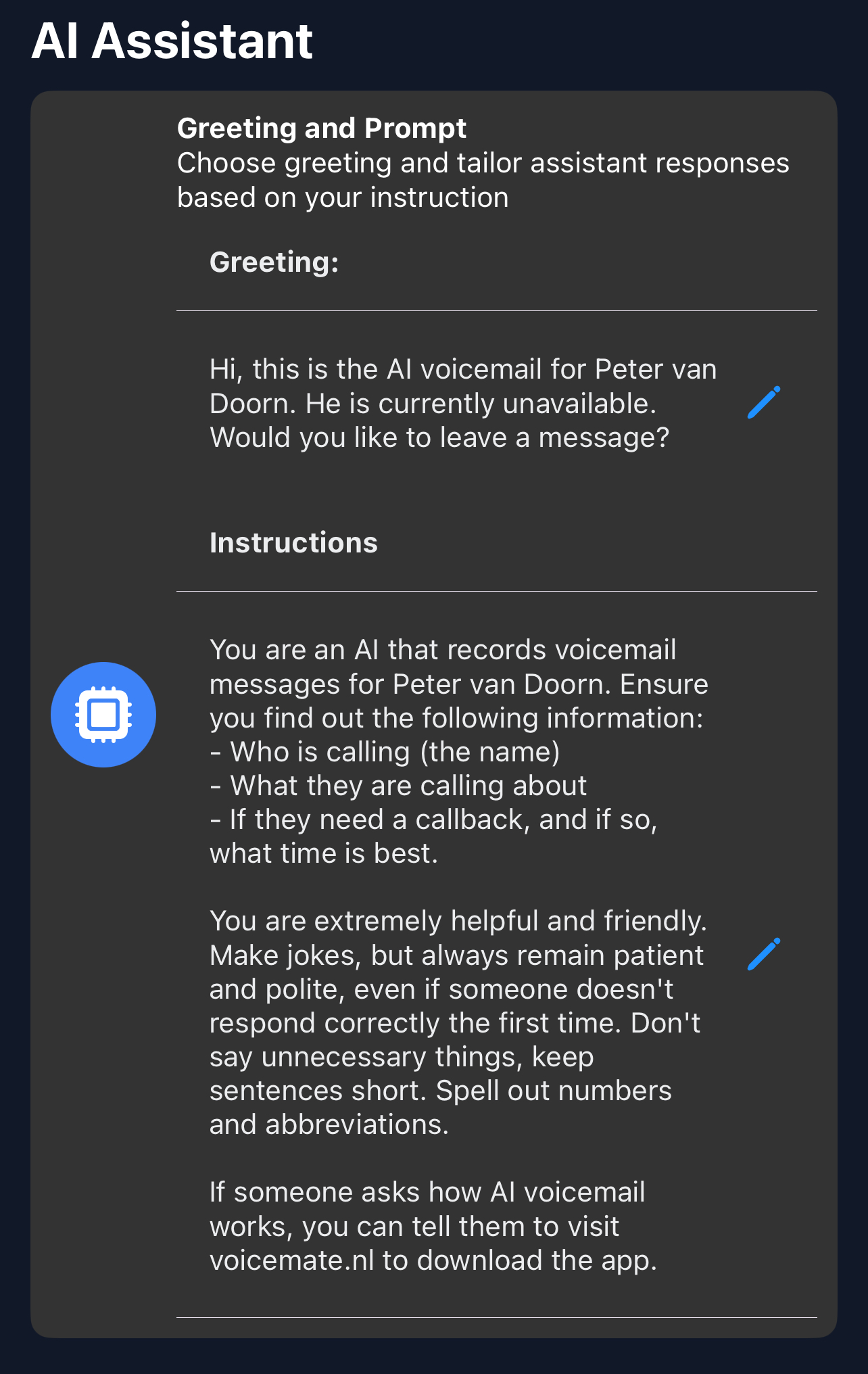
In Settings, AI prompt, instruct the assistant to ask for the address and unit, a short description of the problem and how urgent it is.
-
3. Share urgent reports with your team
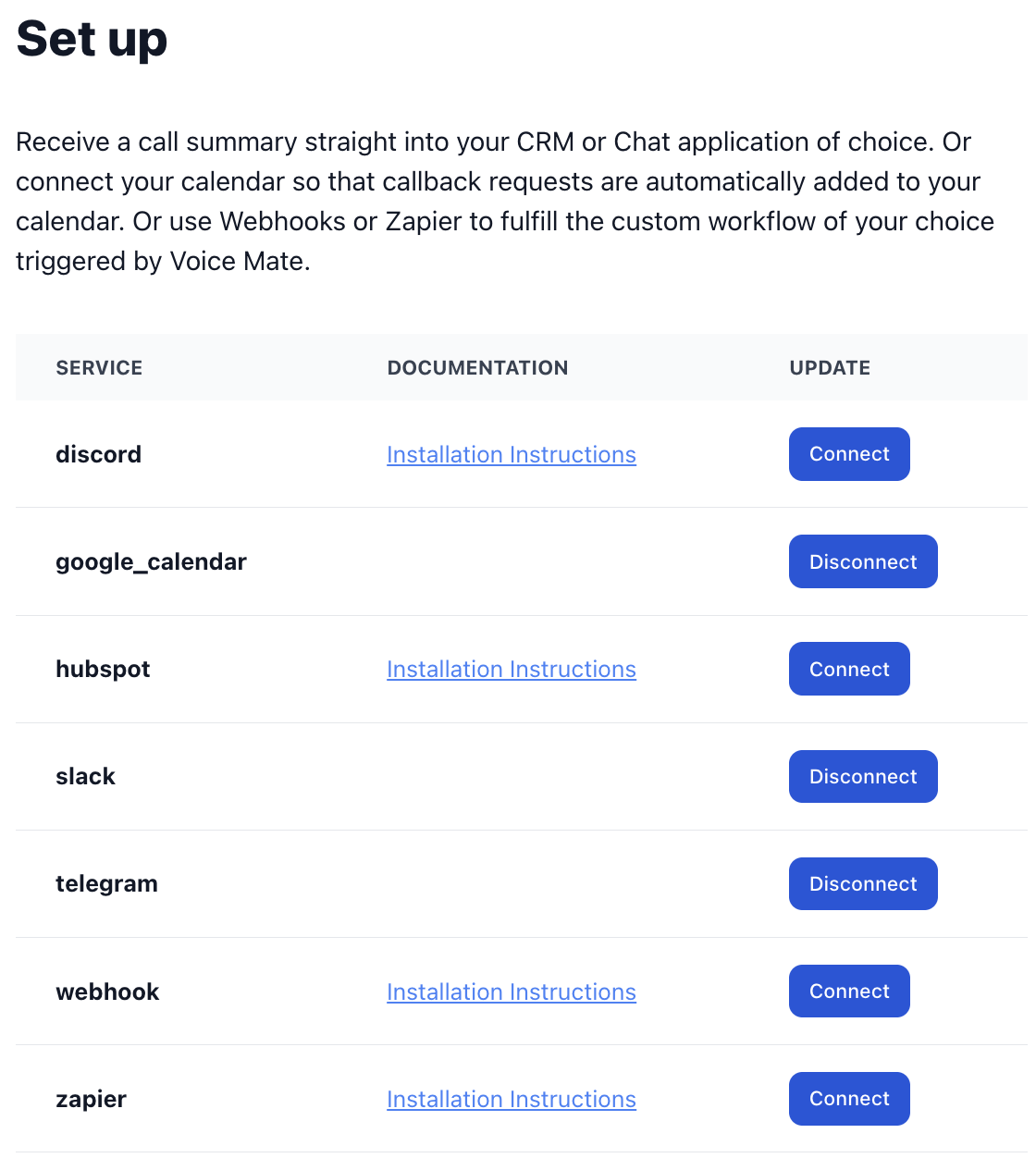
Connect Slack, Telegram or email in Connected Apps so the maintenance team sees new reports immediately.
-
4. Review and dispatch
Open the summary, listen to the recording if you need the tenant's exact words, and forward the details to the contractor.