Founder of Voice Mate
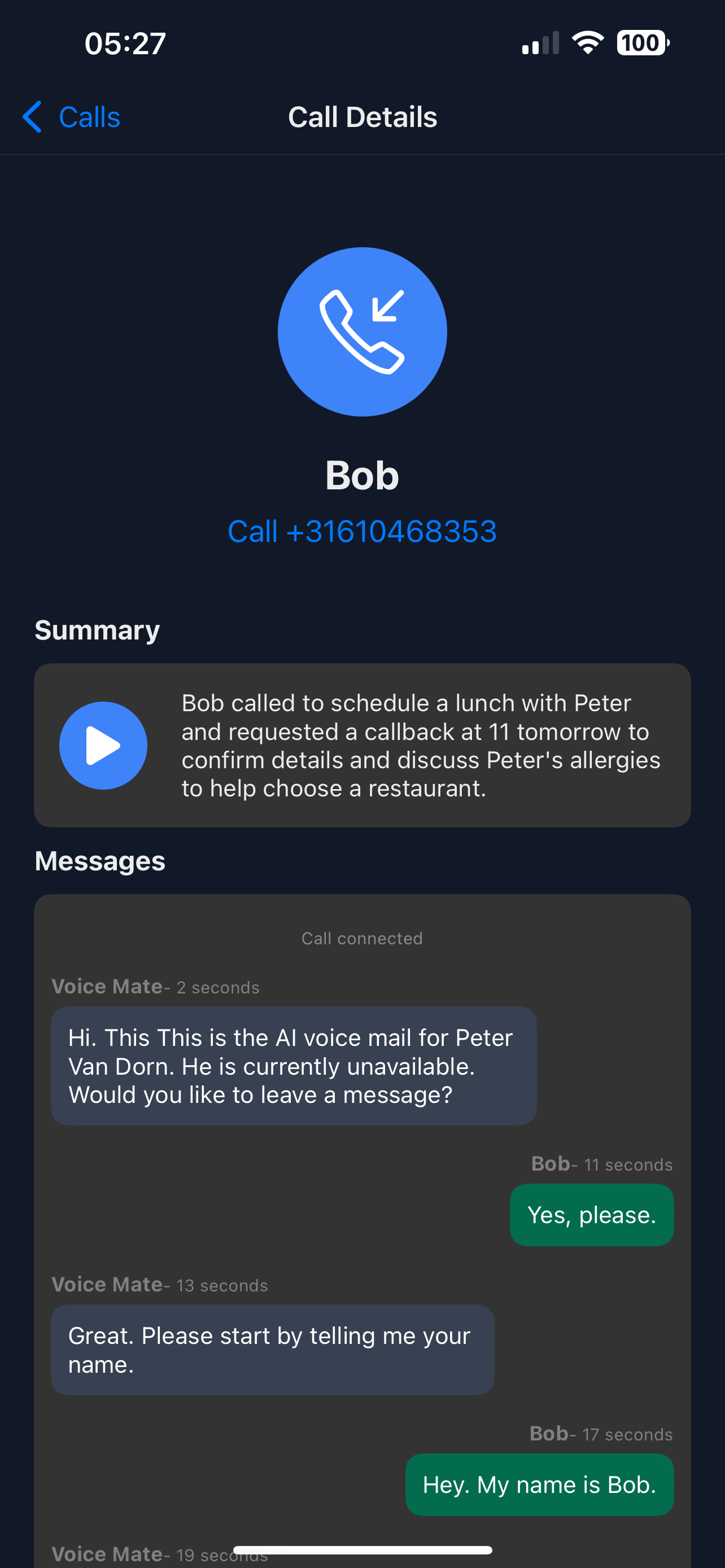
Call Transcripts
Listening to voicemails is slow and inconvenient, especially when you're managing a high volume of calls. Voice Mate's transcription service automatically converts every voicemail into clean text,allowing you to prioritize responses, archive important messages, and skip the clutter. Stay organized, save time, and never miss critical information again.
Voice Mate’s transcription engine uses advanced AI and natural language processing to deliver highly accurate voicemail transcripts. You can read messages instantly on your phone, forward them to colleagues, or integrate them into your CRM. Whether you're in meetings, traveling, or handling dozens of tasks, voicemail transcription ensures you stay informed without slowing down.

In this guide, we’ll explain how to activate voicemail transcription, customize notification settings, and get the most out of Voice Mate’s smart call management features.
Getting Started
Setup is easy: follow the steps below. You need the Voice Mate app on your phone.
Get the app
-
1. Upload Your Personalised Greeting
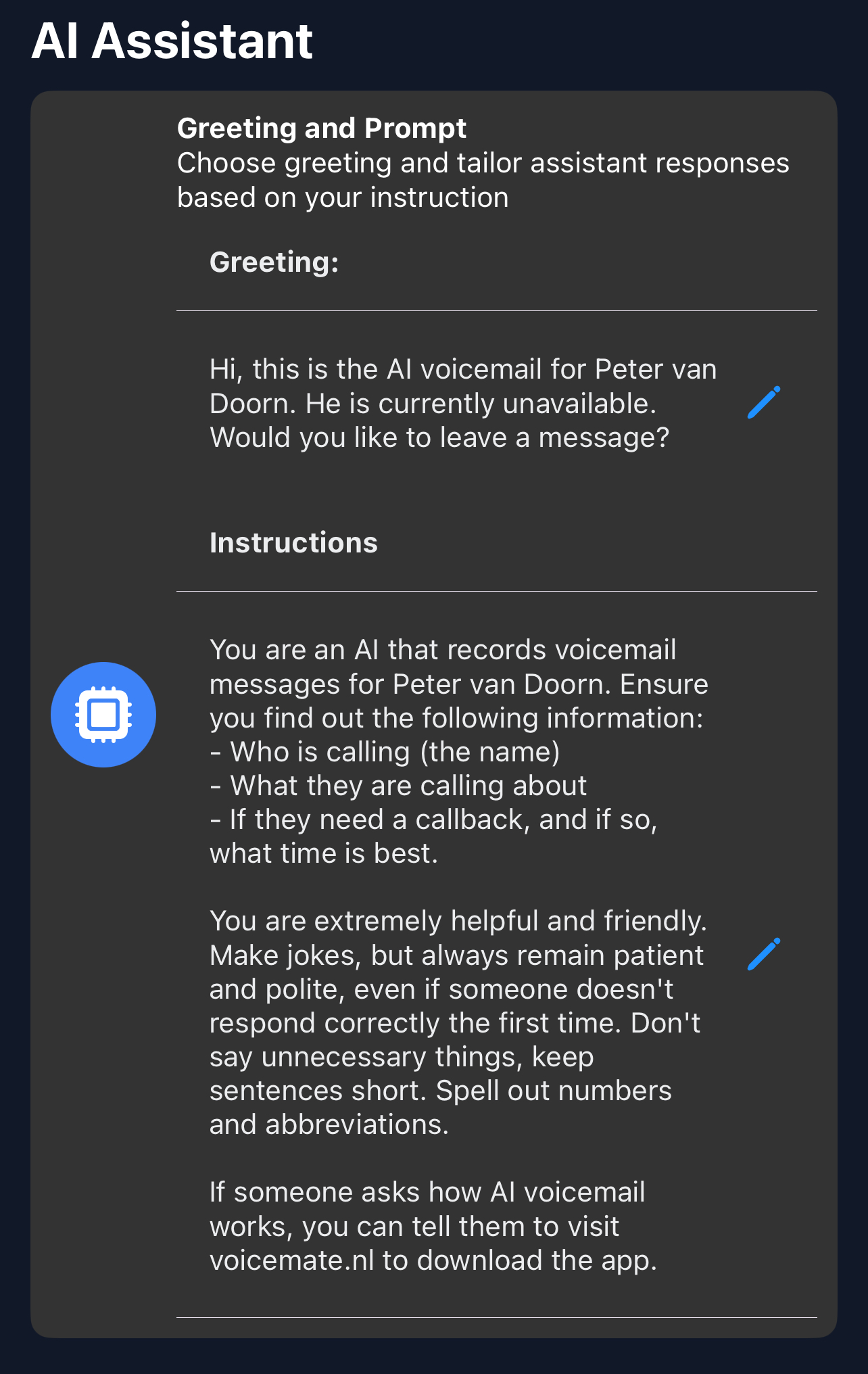
Open Voice Mate, go to Settings and choose Greeting. Write a custom voicemail greeting. This is what your AI will say when it picks up the phone for you. You can also give the AI instructions on how to handle calls under AI prompt.
-
2. Set Call Forwarding
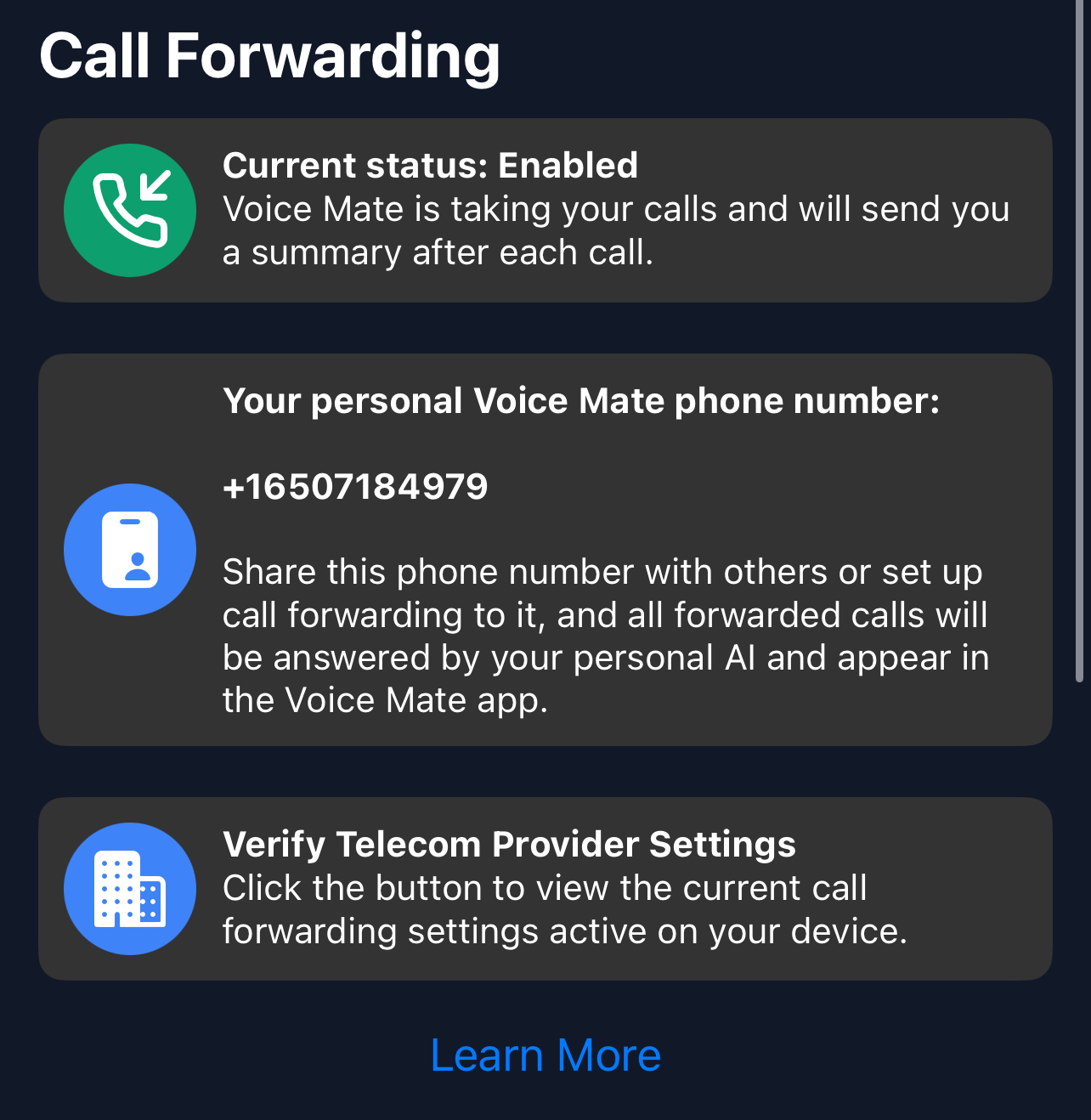
Simply enable call forwarding straight from the Voice Mate app. This is done by tapping the red icon to toggle forwarding on and off. The app will prompt you to call a special phone number that tells your telecom provider that Voice Mate should Handle your Voice Mail
-
3. [optional] Set up Integrations (With Slack, Hubspot, Zapier or Google Calendar)
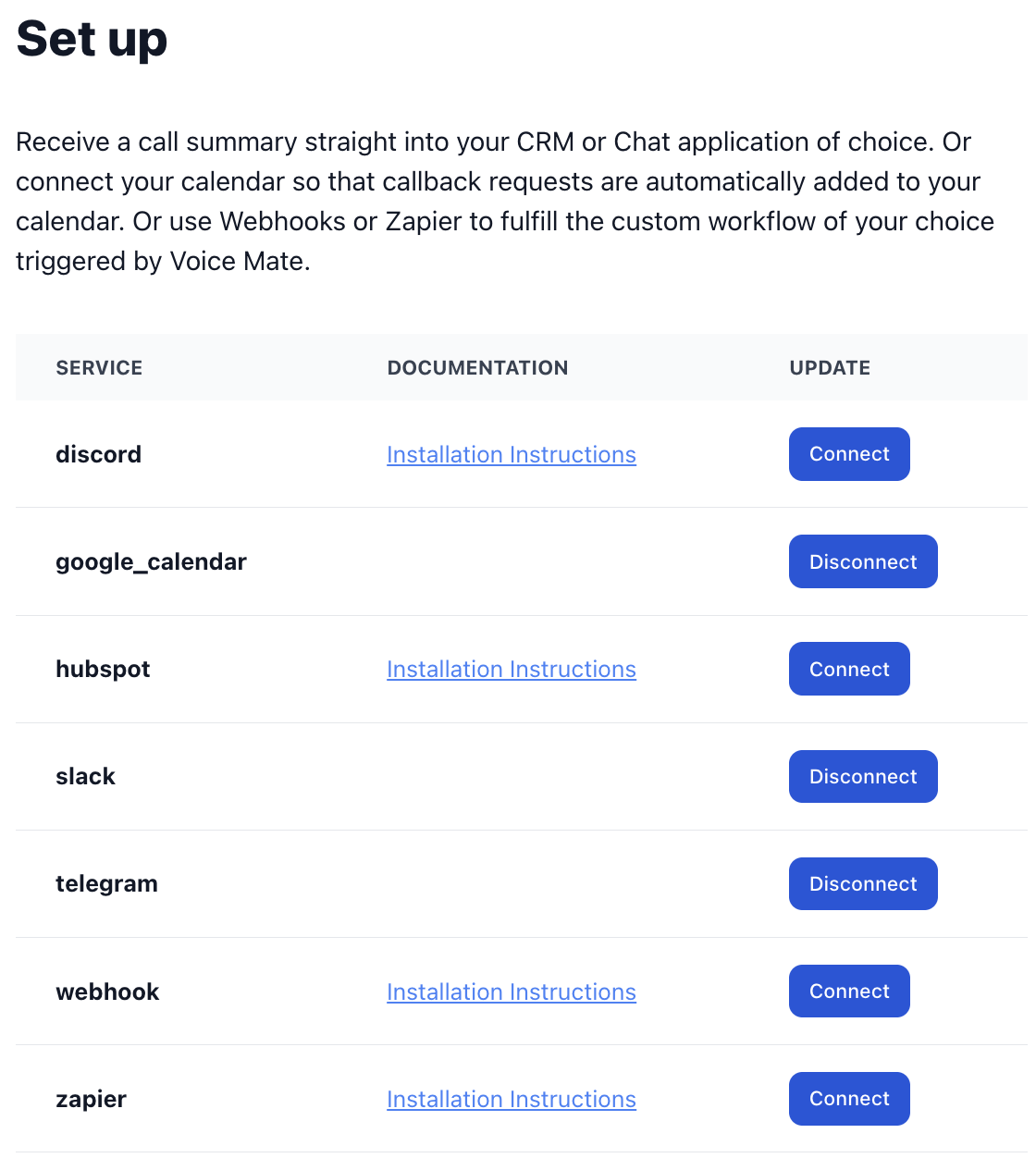
Voice Mate offers integrations with Slack, Hubspot, Zapier, and Google Calendar. This way you receive a notification when a call is recorded. This allows you to share your inbound calls with a team and even automatically schedule callbacks in google calendar.
-
4. Start Receiving Calls
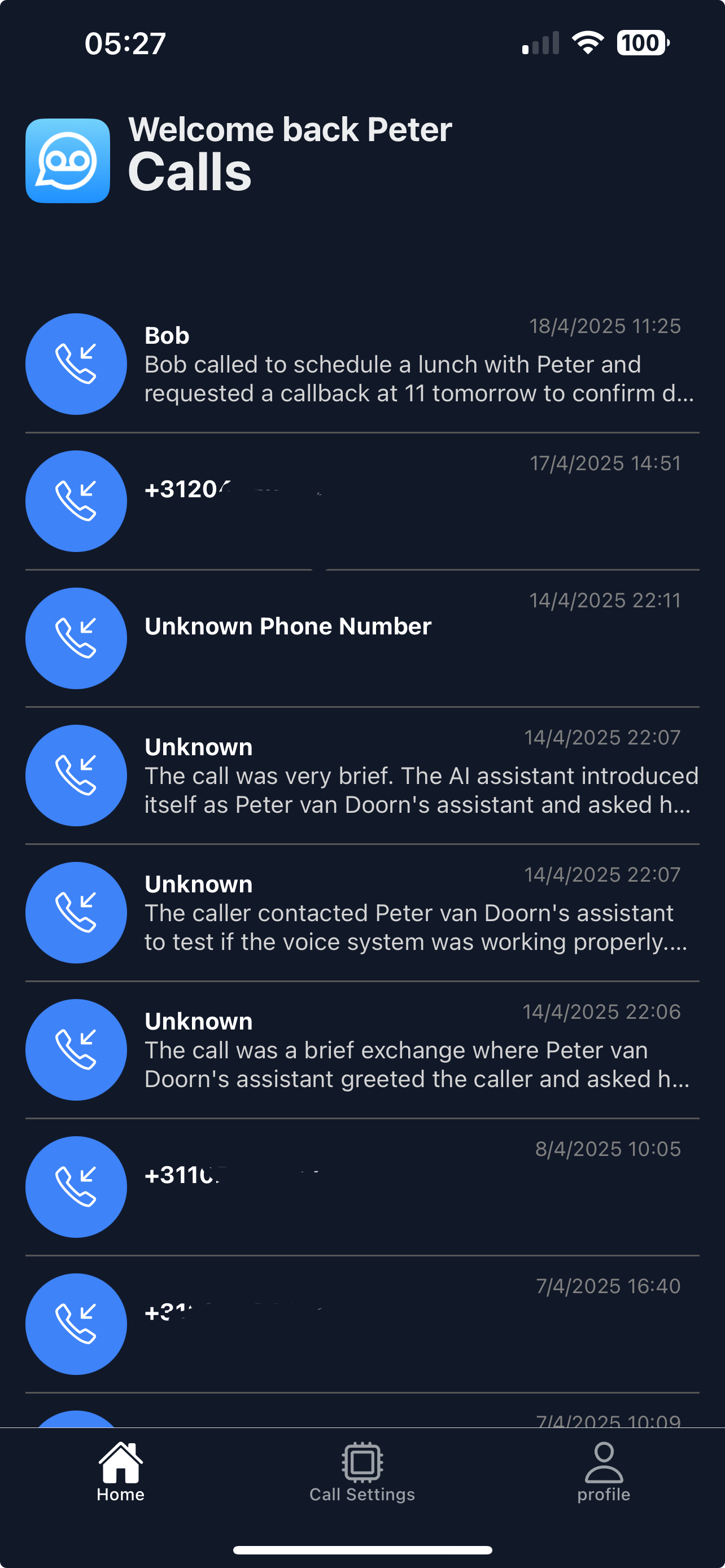
Once set up Voice Mate will start answering calls on your behalf. You'll receive a push notification and the calls themself will be listed in your app
-
5. Listen back to Inbound Calls and read the transcripts
Access Voice Mate reports to see call summary, transcripts, and listen back to the recording.