Founder of Voice Mate
Crm Integration
Missed calls can become lost opportunities. Voice Mate syncs call details and transcripts directly into your CRM, saving time and improving lead follow-up.
Automatically create leads, attach transcripts, and assign follow-ups in your CRM, ensuring no opportunity slips through the cracks.

Set up CRM integration to streamline workflows, improve data accuracy, and enhance team productivity.
Getting Started
Setup is easy: follow the steps below. You need the Voice Mate app on your phone.
Get the app
-
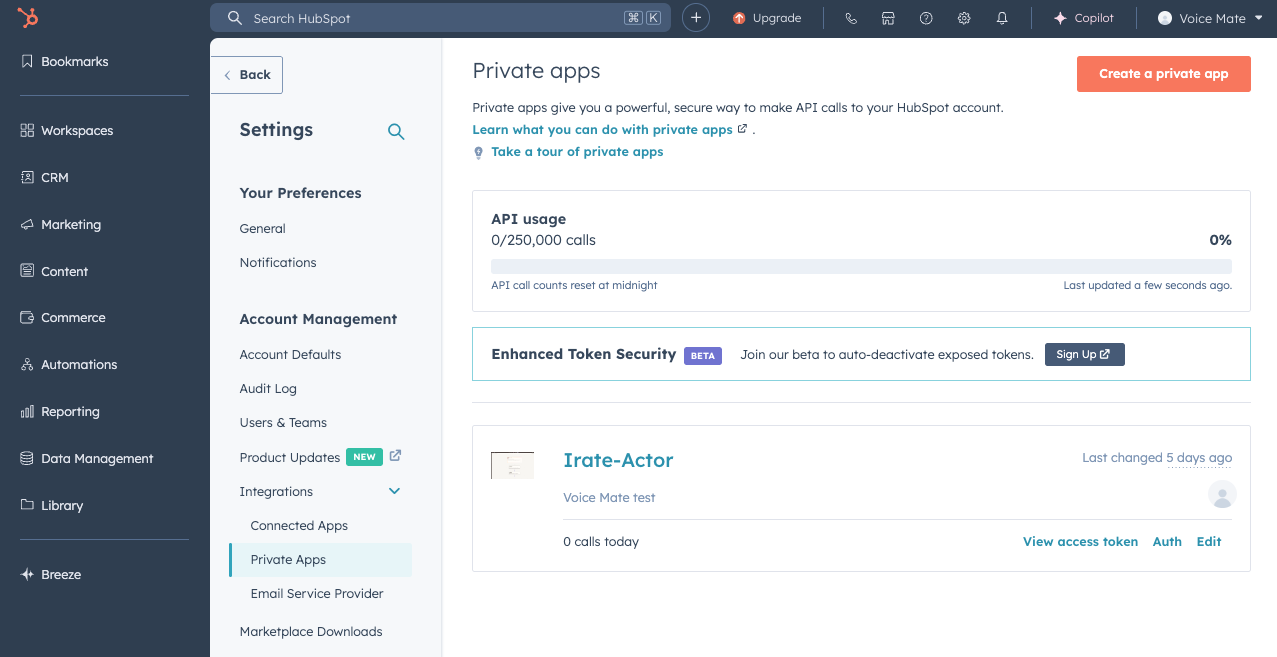
1. Create a Hubspot Integration
Navigate to Hubspots integrations page and select Private Apps.
-
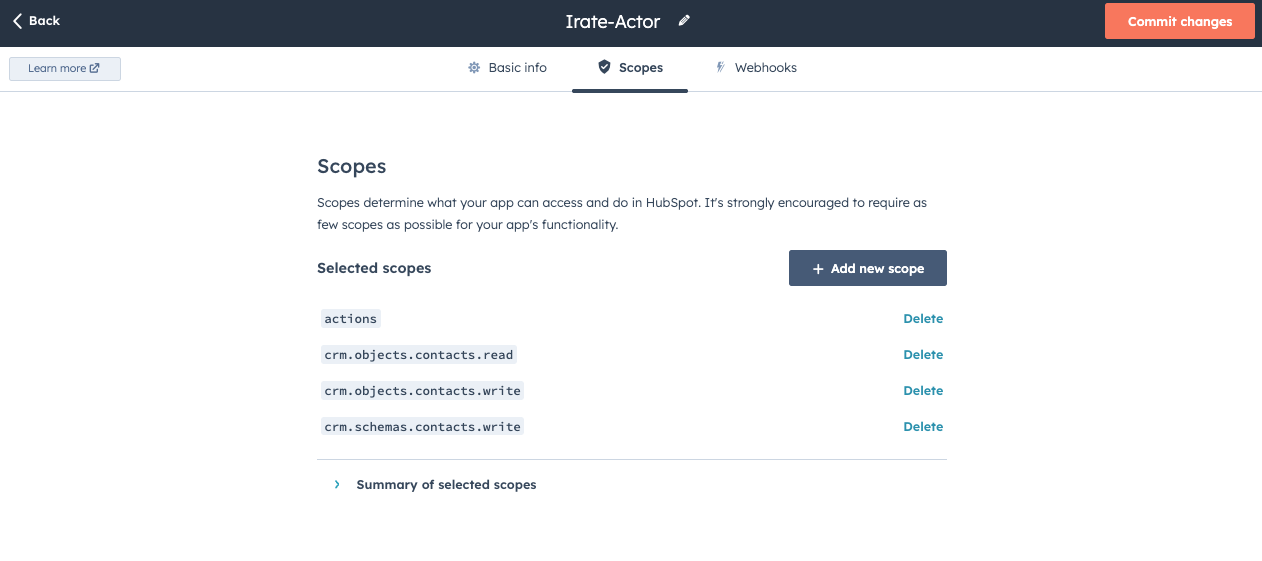
2. Set the scopes
You will need the scope for Actions, crm.objects.contacts: read, write and crm.schemas.contacs.write. This allows Voice Mate to add a call event but also check if a contact already exists
-
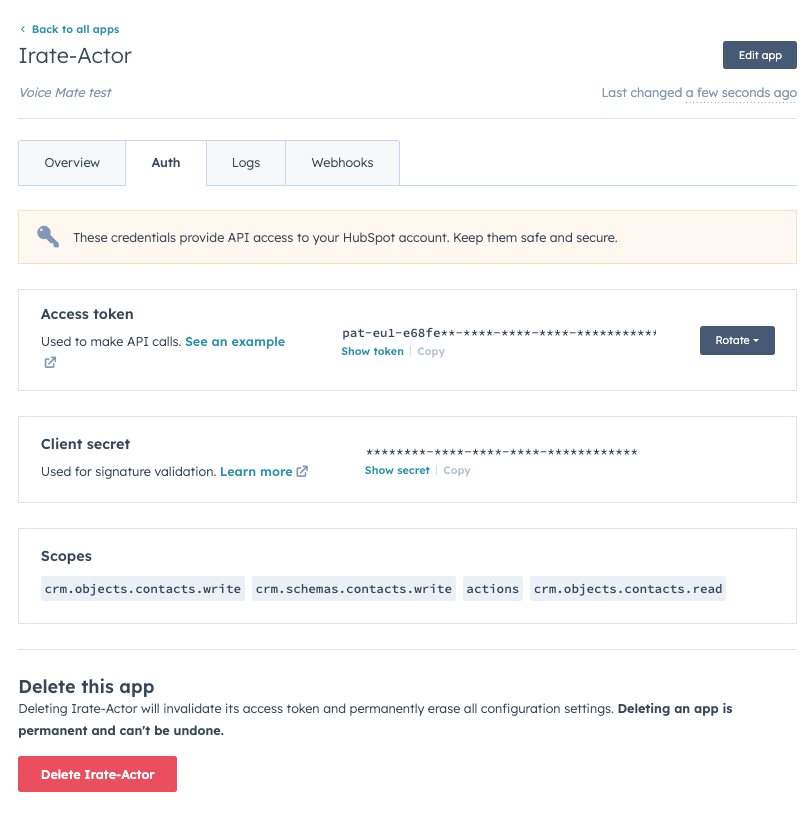
3. Grab the Hubspot API key
Grab the API keys from Hubspot, we'll paste these into Voice Mate in the next step
-
4. Add the API key to Voice Mate
Add the API key to the Voice Mate Integrations panel and click save

-
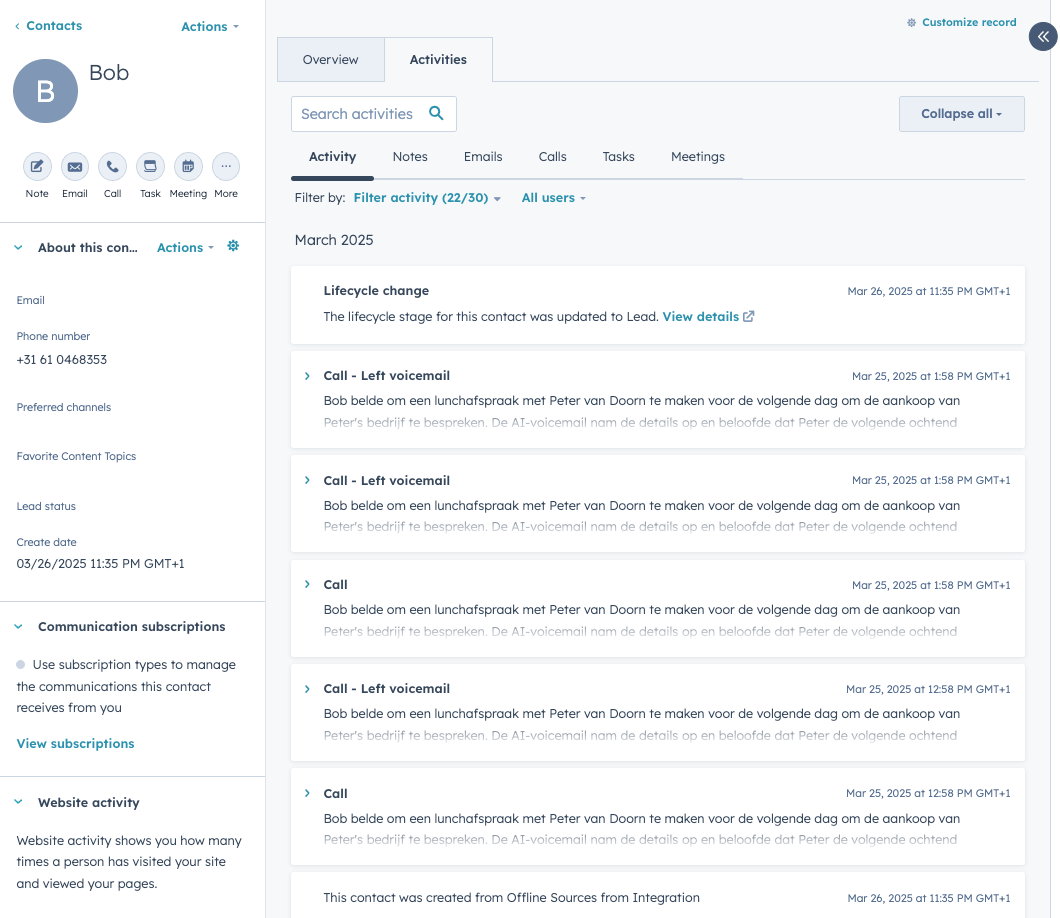
5. New Contacts and Calls are created
Now whenever a new call is recorded in Voice Mate, Hubspot will be notified. If a contact exists we will add the call to the notes, if it does not exist we'll create a new contact