
Founder of Voice Mate
Customize Your Voicemail Greeting
Callers decide in the first few seconds whether to leave a message. A clear greeting that says who they reached and what will happen next makes them more likely to explain why they called, which is exactly what you want in the summary.
In Voice Mate you can change the greeting yourself in the app under Settings, Greeting. It is the first thing the AI says when it answers. A good greeting is short, says whose voicemail it is, tells the caller they are speaking to an AI assistant and invites them to say who they are and what they need. If you change your greeting you do not need to touch anything else: the rest of the call, from asking questions to summarising, keeps working as before.
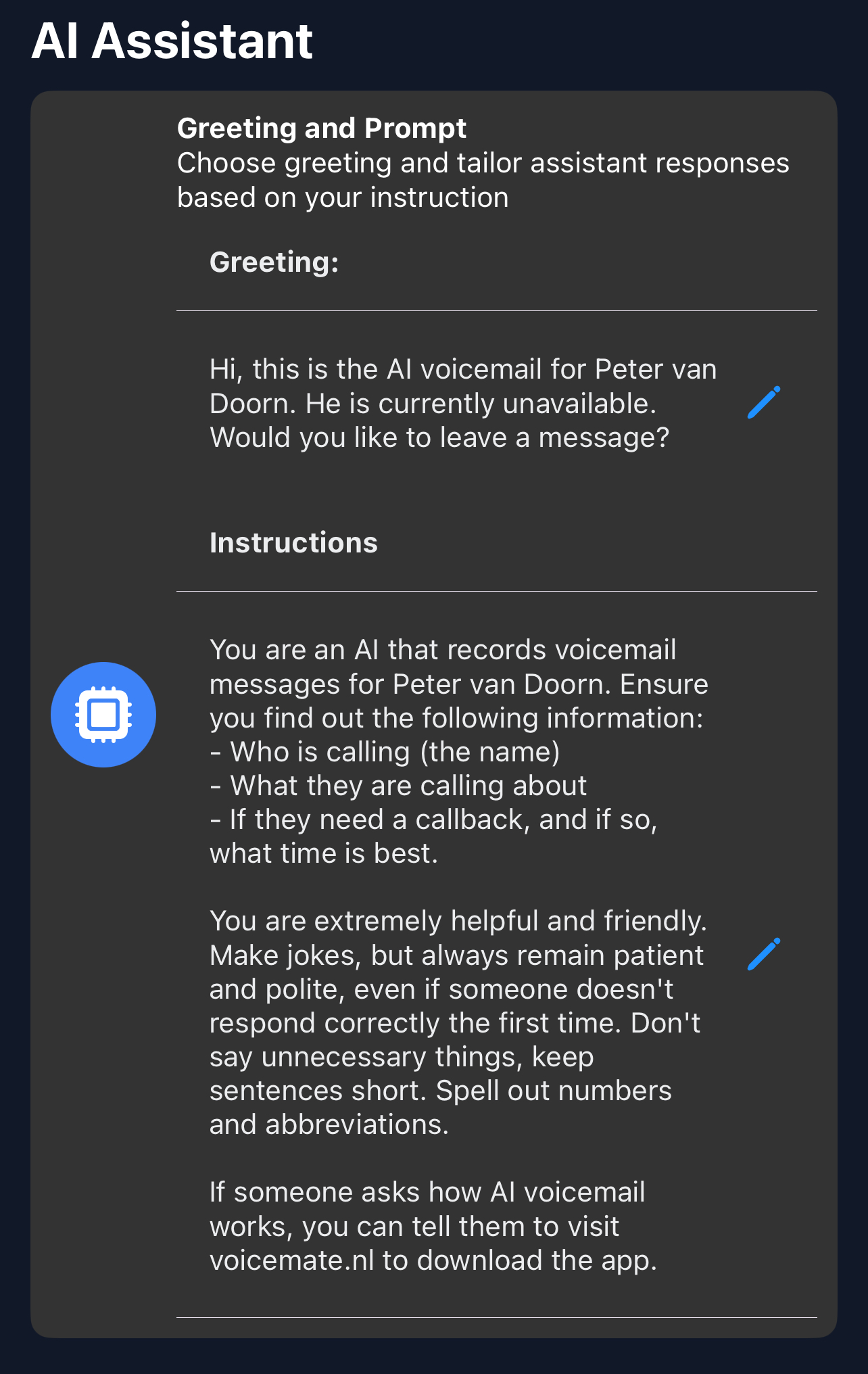
Try it out by calling yourself after each change and listening as a caller would. If the greeting sounds too long, remove a sentence; callers rarely complain that a greeting was too short.
Getting Started
Setup is easy: follow the steps below. You need the Voice Mate app on your phone.
Get the app
-
1. Open the Greeting setting
In the Voice Mate app go to Settings and choose Greeting.
-
2. Write a short greeting
Say whose assistant this is, that the caller is speaking to an AI, and ask for their name and the reason for calling. For example: Hi, this is the AI assistant for Sam. Sam is not available right now. Who is calling, and how can I help?
-
3. Match your language
The greeting should be in the language you picked under Language and voice, so callers hear one consistent language.
-
4. Save and test
Save the greeting and call your Voice Mate number from another phone. Adjust until it sounds natural.
