
Founder of Voice Mate
Forward Calls To Voice Mate On Iphone
On an iPhone you can send unanswered calls to Voice Mate in a minute. The app shows the code to dial, and you can switch it off again at any time.
Call forwarding is handled by your phone company, not by an app. That is why the setup is a short call or a setting, and why it keeps working even when your phone is off or out of signal. The Voice Mate app guides you: it shows the right number to dial for your situation and tells you when forwarding is active.
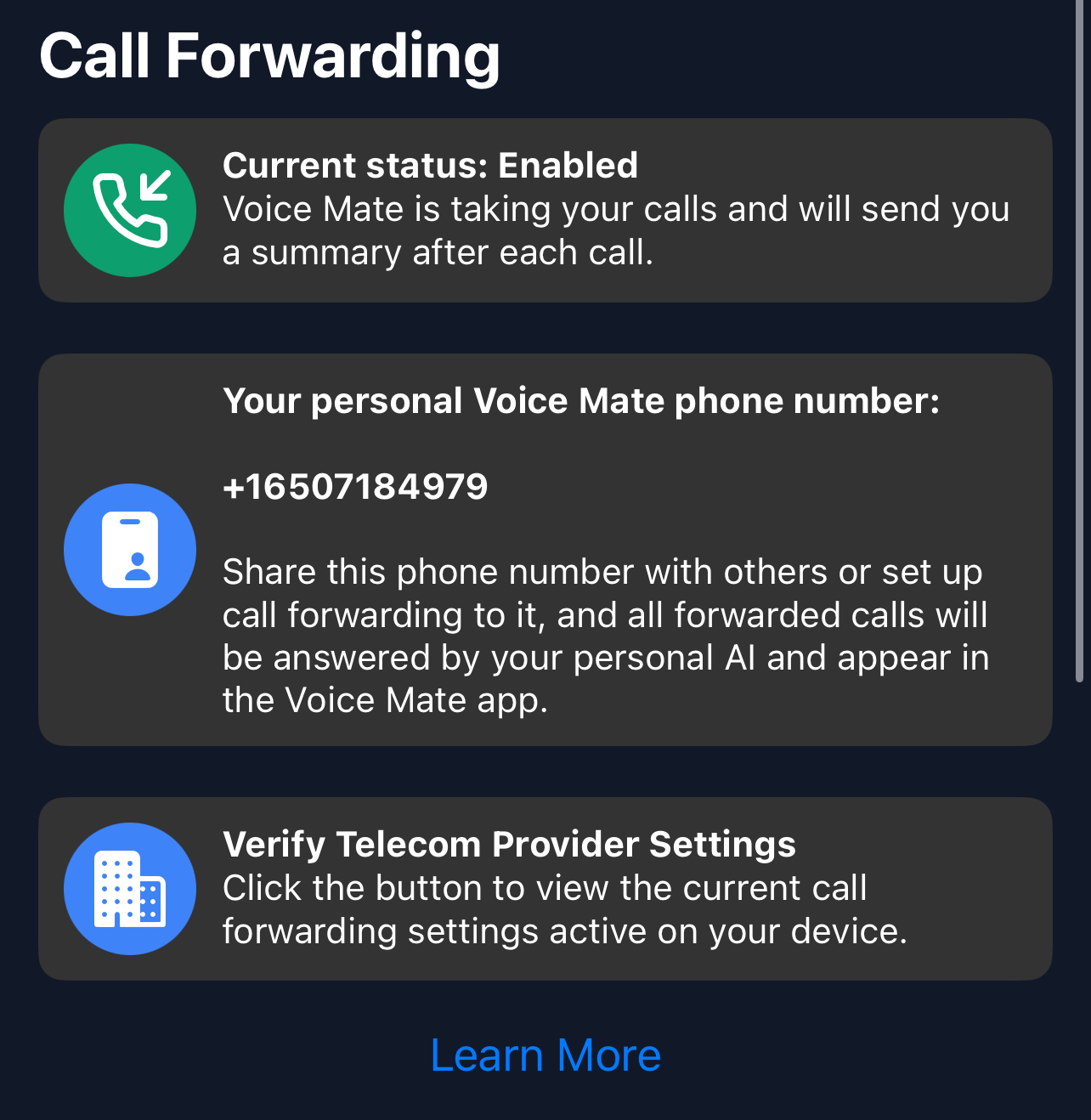
If the app's one-tap setup does not work with your plan, use the codes described in our guide to conditional call forwarding.
Getting Started
Setup is easy: follow the steps below. You need the Voice Mate app on your phone.
Get the app
-
1. Open Voice Mate and tap the forwarding switch
The app shows a number to call. Tap it to place the call from your iPhone.
-
2. Wait for the confirmation
Your phone company confirms with a short message or a tone. The app then shows forwarding as active.
-
3. Call yourself as a test
Ask someone to call you, or call from another phone, and do not answer. After about 20 seconds Voice Mate should pick up.
-
4. Check Settings > Phone > Call Forwarding
On many plans this screen shows the forwarded number. If it is missing, your plan may use dial codes instead.
