Founder of Voice Mate
Inbound Calls
Inbound calls are critical for your business, but answering every call isn't always possible. Voice Mate provides a smart fallback solution by automatically answering calls, capturing key details, and setting up immediate follow-up workflows. You’ll never lose a lead, upset a customer, or miss an important message again.
When an inbound call is missed, Voice Mate quickly steps in to handle the situation professionally. Instead of sending callers to a cold, generic voicemail, you can provide a branded greeting, capture detailed information, and automatically create follow-up tasks. Whether you're a small business owner, a consultant, or part of a customer support team, handling missed inbound calls the right way can make all the difference between growing or losing business.

In this guide, we’ll show you how to configure inbound call handling inside Voice Mate, set up greetings, and integrate with your favorite tools to make missed calls work *for* you—not against you.
Getting Started
Setup is easy: follow the steps below. You need the Voice Mate app on your phone.
Get the app
-
1. Upload Your Personalised Greeting
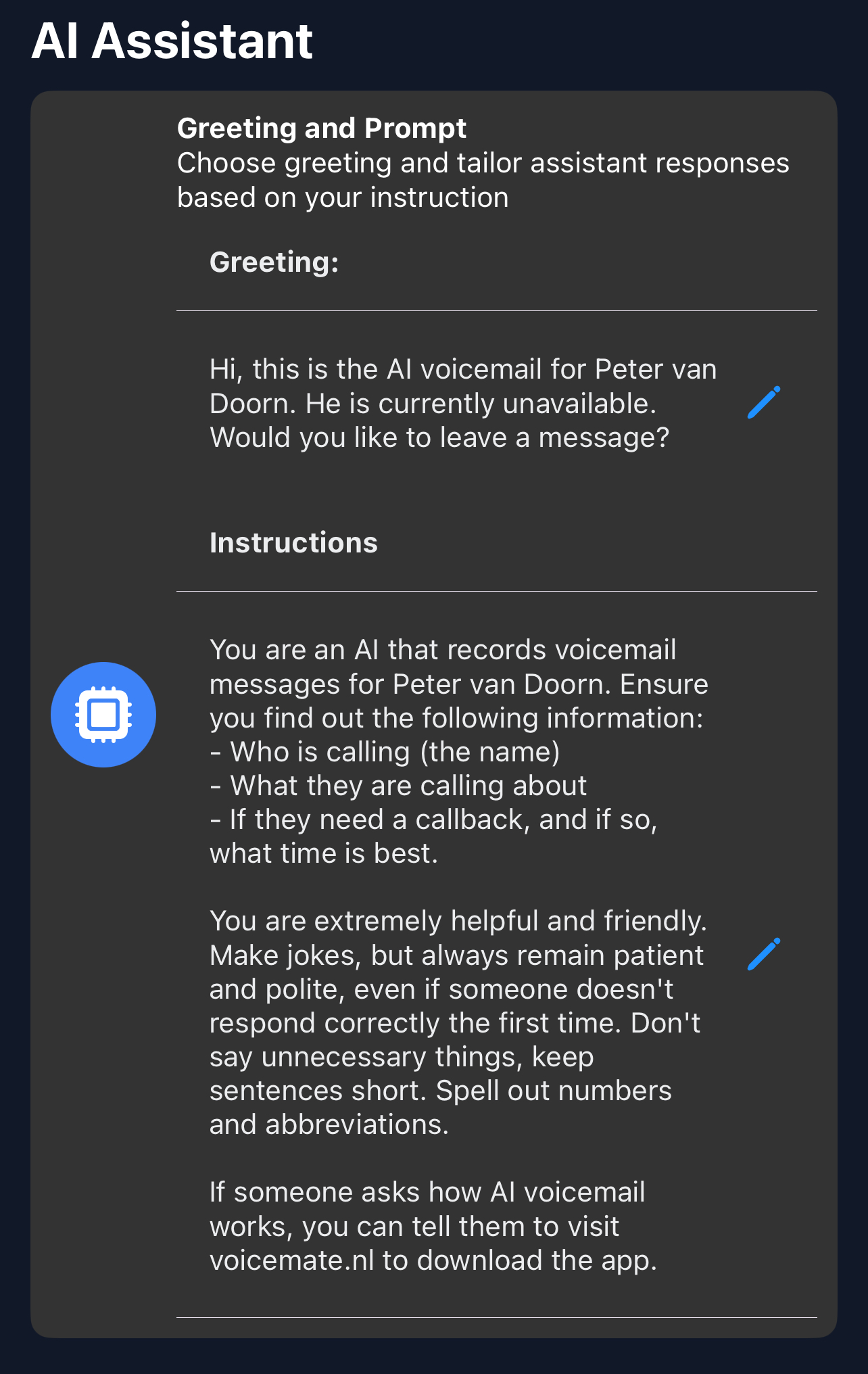
Open Voice Mate, go to Settings and choose Greeting. Write a custom voicemail greeting. This is what your AI will say when it picks up the phone for you. You can also give the AI instructions on how to handle calls under AI prompt.
-
2. Set Call Forwarding
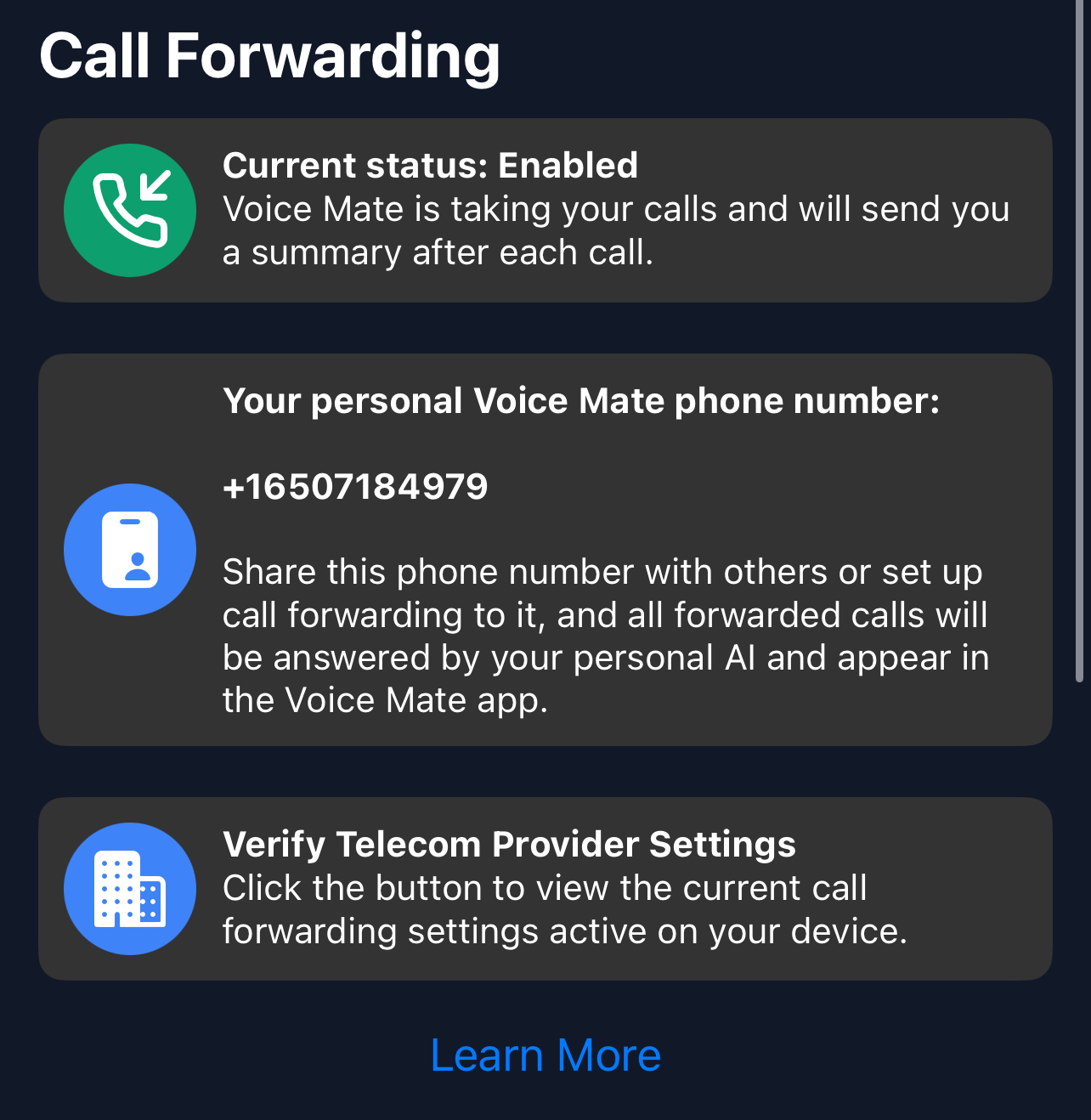
Simply enable call forwarding straight from the Voice Mate app. This is done by tapping the red icon to toggle forwarding on and off. The app will prompt you to call a special phone number that tells your telecom provider that Voice Mate should Handle your Voice Mail
-
3. [optional] Set up Integrations (With Slack, Hubspot, Zapier or Google Calendar)
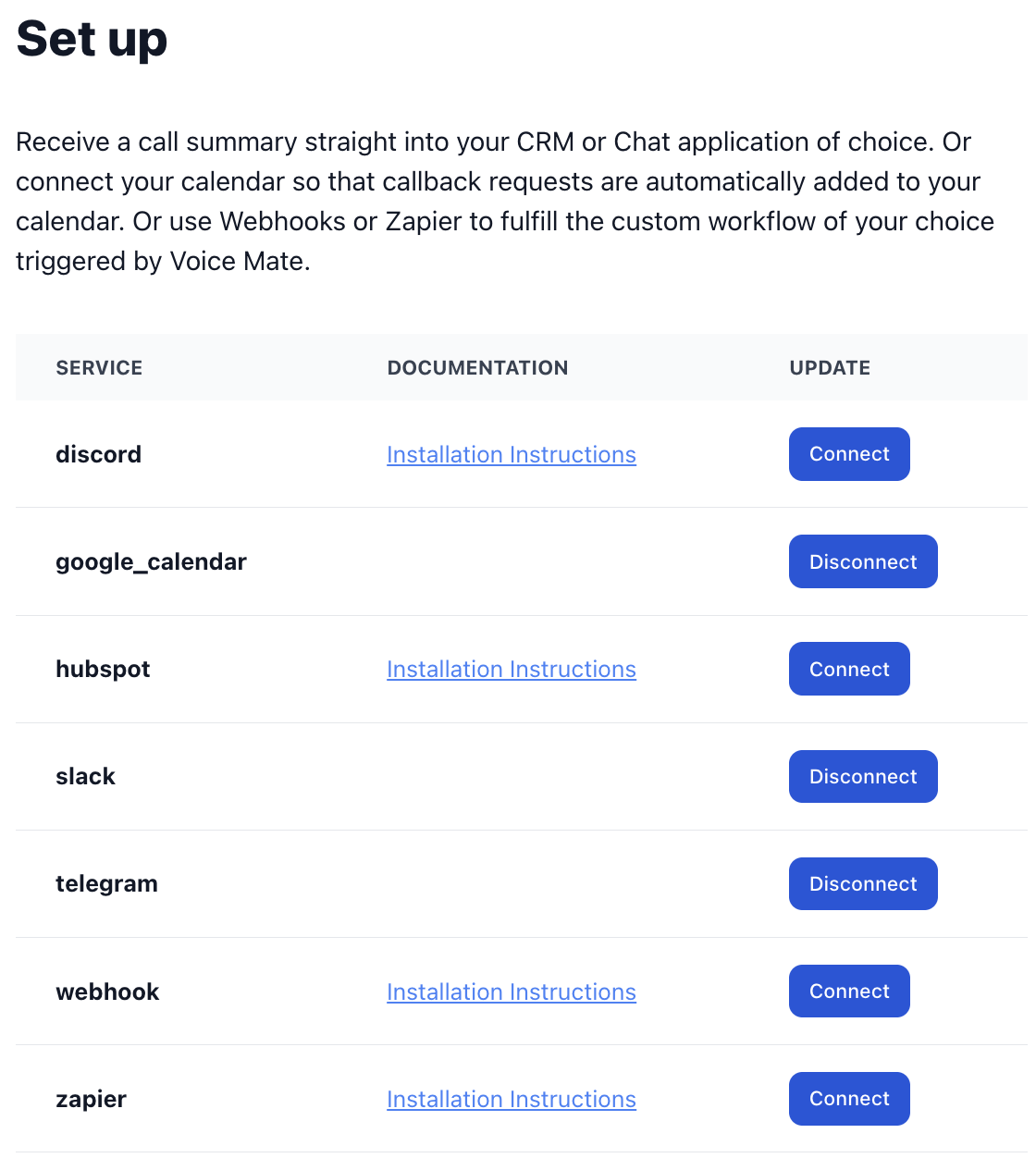
Voice Mate offers integrations with Slack, Hubspot, Zapier, and Google Calendar. This way you receive a notification when a call is recorded. This allows you to share your inbound calls with a team and even automatically schedule callbacks in google calendar.
-
4. Start Receiving Calls
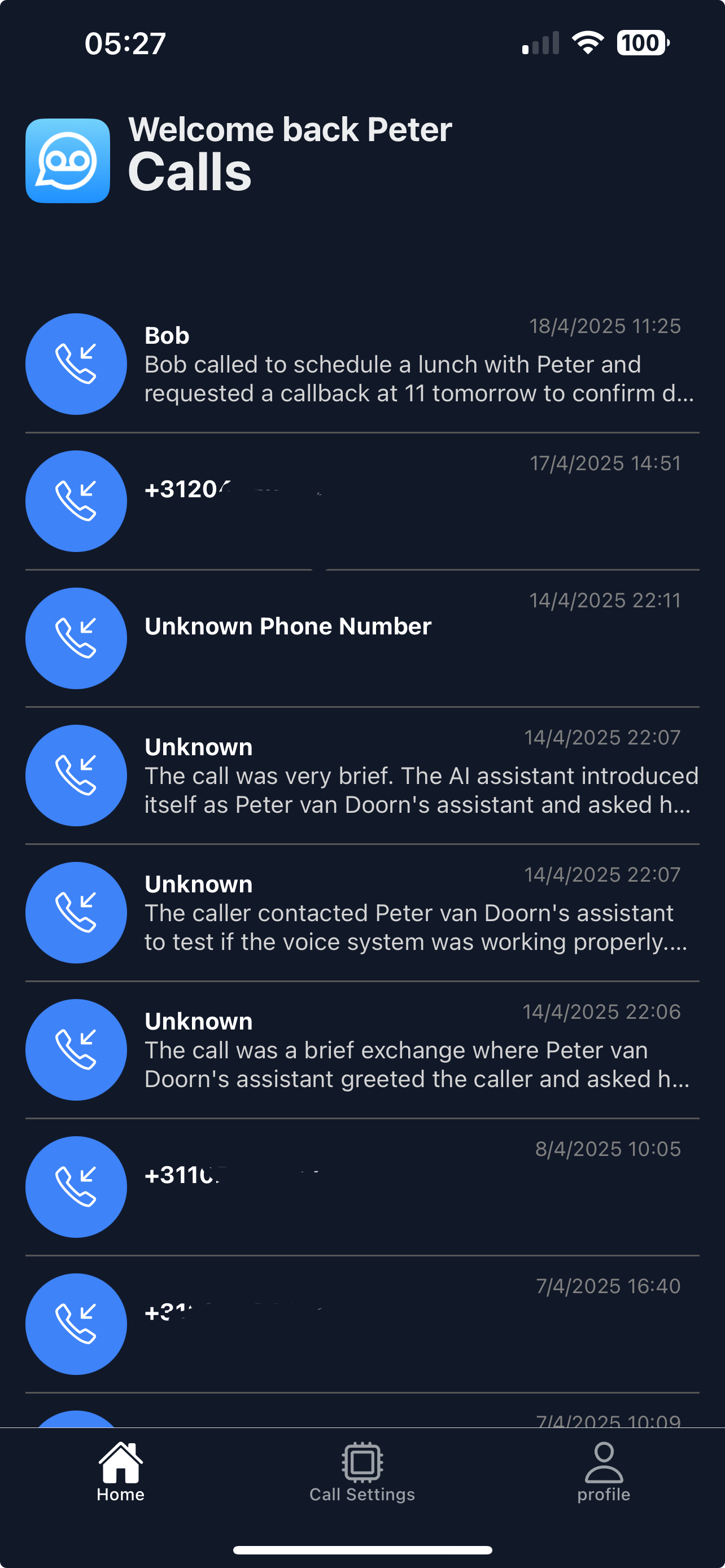
Once set up Voice Mate will start answering calls on your behalf. You'll receive a push notification and the calls themself will be listed in your app
-
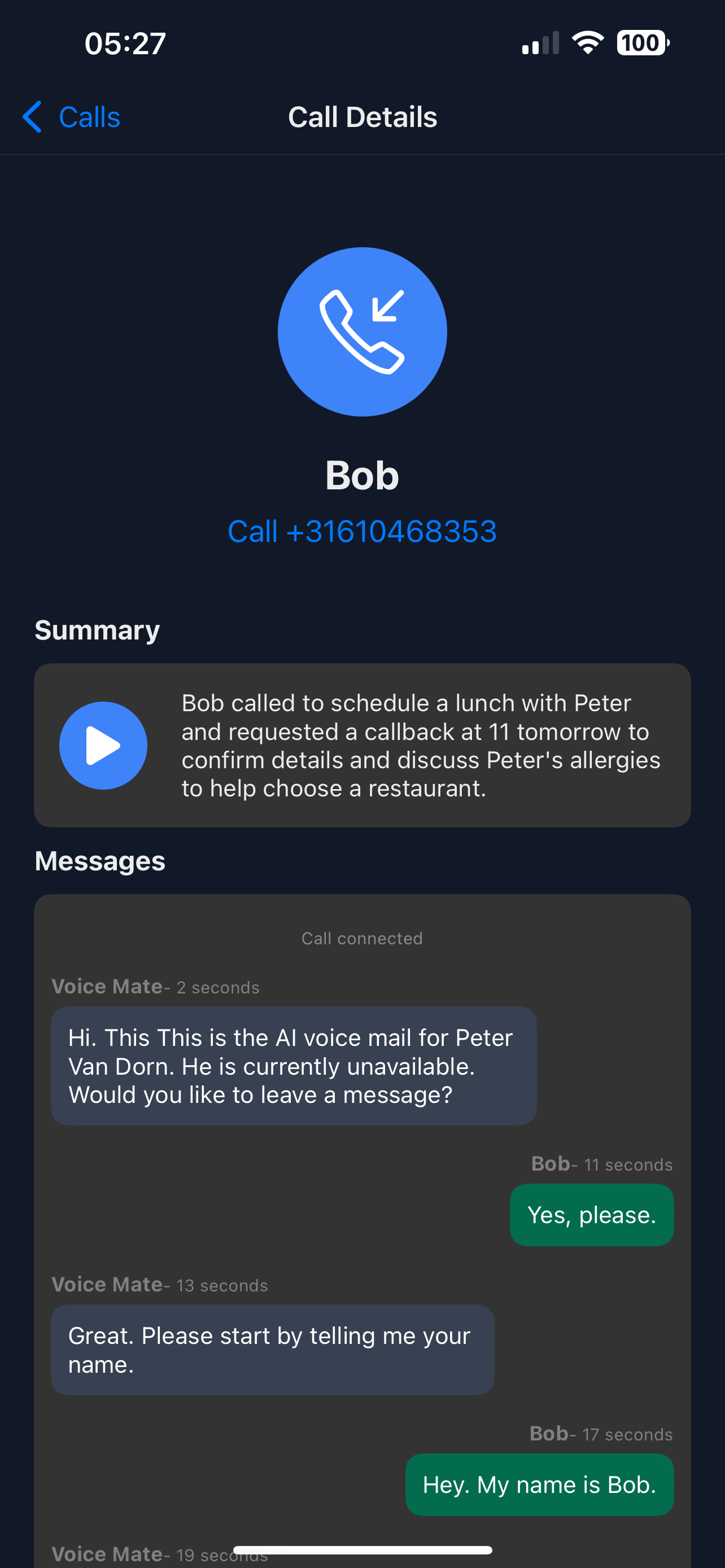
5. Listen back to Inbound Calls and read the transcripts
Access Voice Mate reports to see call summary, transcripts, and listen back to the recording.