
Founder of Voice Mate
Read Call Summaries In Ten Seconds
Each call is summarised in a few lines. Reading them in a fixed order lets you decide in seconds which ones to answer first.
A call list is only useful if it saves time. The summary shows who called, the reason and whether a callback is needed. Skim the reason first. Urgent and money-related calls go to the top, information requests can wait.
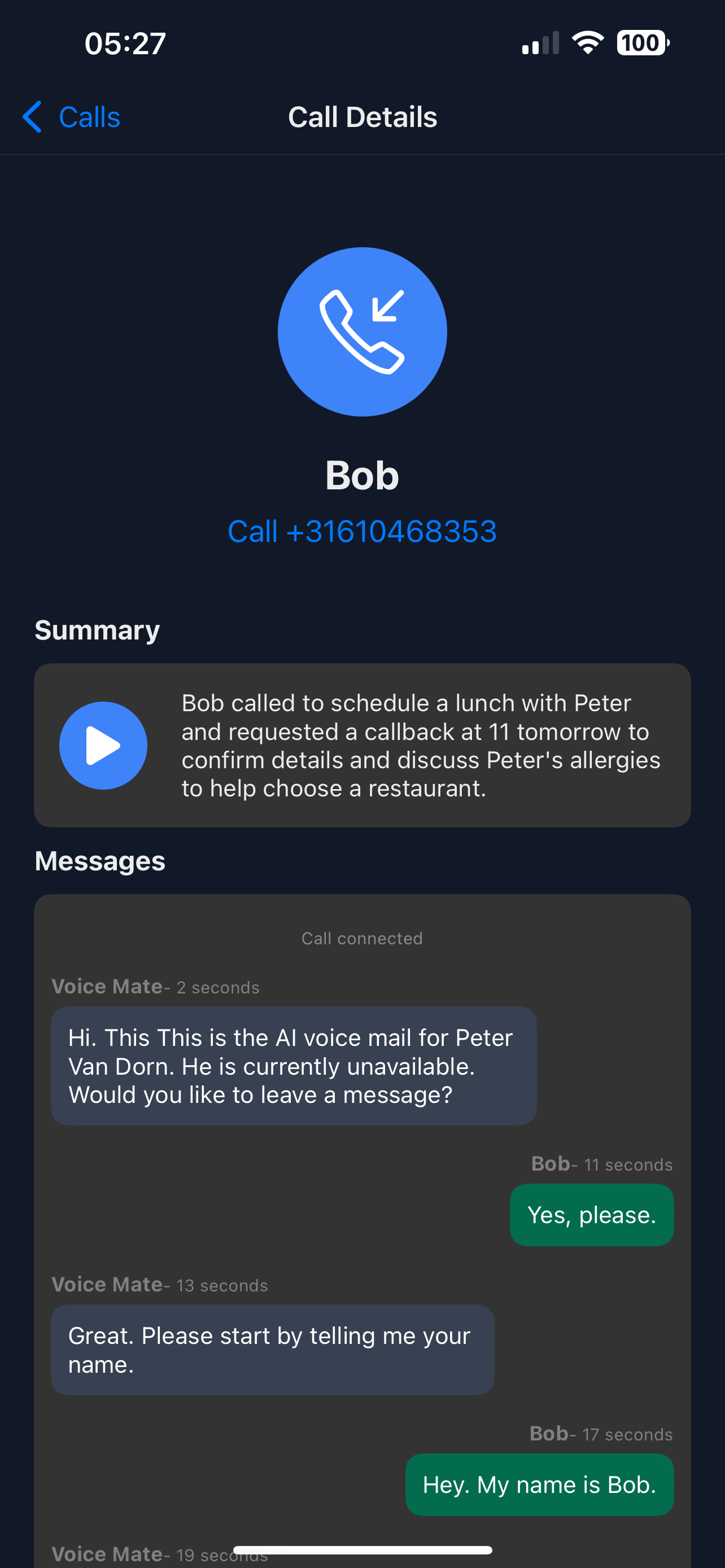
If the summaries miss information you need, adjust the instructions so the assistant asks for it.
Getting Started
Setup is easy: follow the steps below. You need the Voice Mate app on your phone.
Get the app
-
1. Scan the reason line
It is the one sentence that tells you why they called.
-
2. Look for callbacks
Calls where a callback is needed are marked. Handle those first.
-
3. Open the transcript only when needed
Most calls need only the summary; open the transcript if the wording matters.
-
4. Mark calls as read
Marked calls drop out of your unread list, so it always shows what is left to do.
