Founder of Voice Mate
Screen Unknown Callers With Ai Voicemail
Unknown numbers could be a client, a delivery or a sales pitch. Voice Mate answers for you, asks the caller to say who they are and why they are calling, and gives you a summary so you can decide whether to call back at all.
Screening calls yourself means answering them, which is the interruption you wanted to avoid. An assistant can do the screening for you. Callers with a real reason state it; callers with nothing to say usually hang up. The summary tells you which is which. A short note such as the caller did not speak means you can ignore the call, while a clear reason with a name and number goes to the top of your list.

If a caller says nothing at all, Voice Mate can also text them a link to a short form, so they can still tell you why they called. Turn on "Text callers who stay silent" in your settings. See what happens when a caller stays silent. Voice Mate does not block numbers for you; it gives you the information to decide. If you need stricter filtering, combine it with your phone's own blocking tools.
Getting Started
Setup is easy: follow the steps below. You need the Voice Mate app on your phone.
Get the app
-
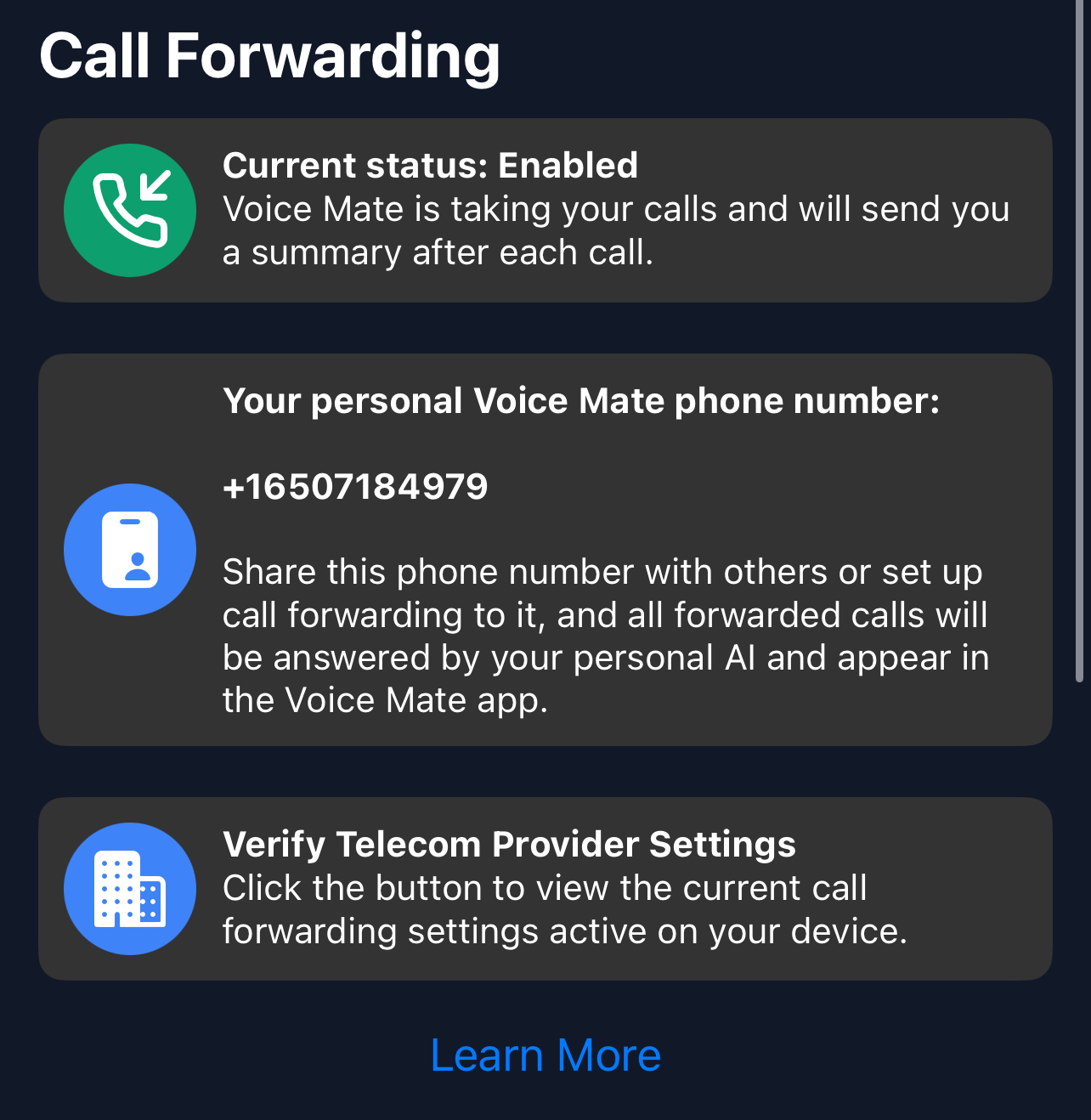
1. Turn on call forwarding
In the Voice Mate app, open Settings and switch on Call forwarding. The app shows the exact code to dial for your carrier, so calls you miss or decline are passed to Voice Mate. Use Check carrier settings if you want to confirm what your carrier currently has set.
-
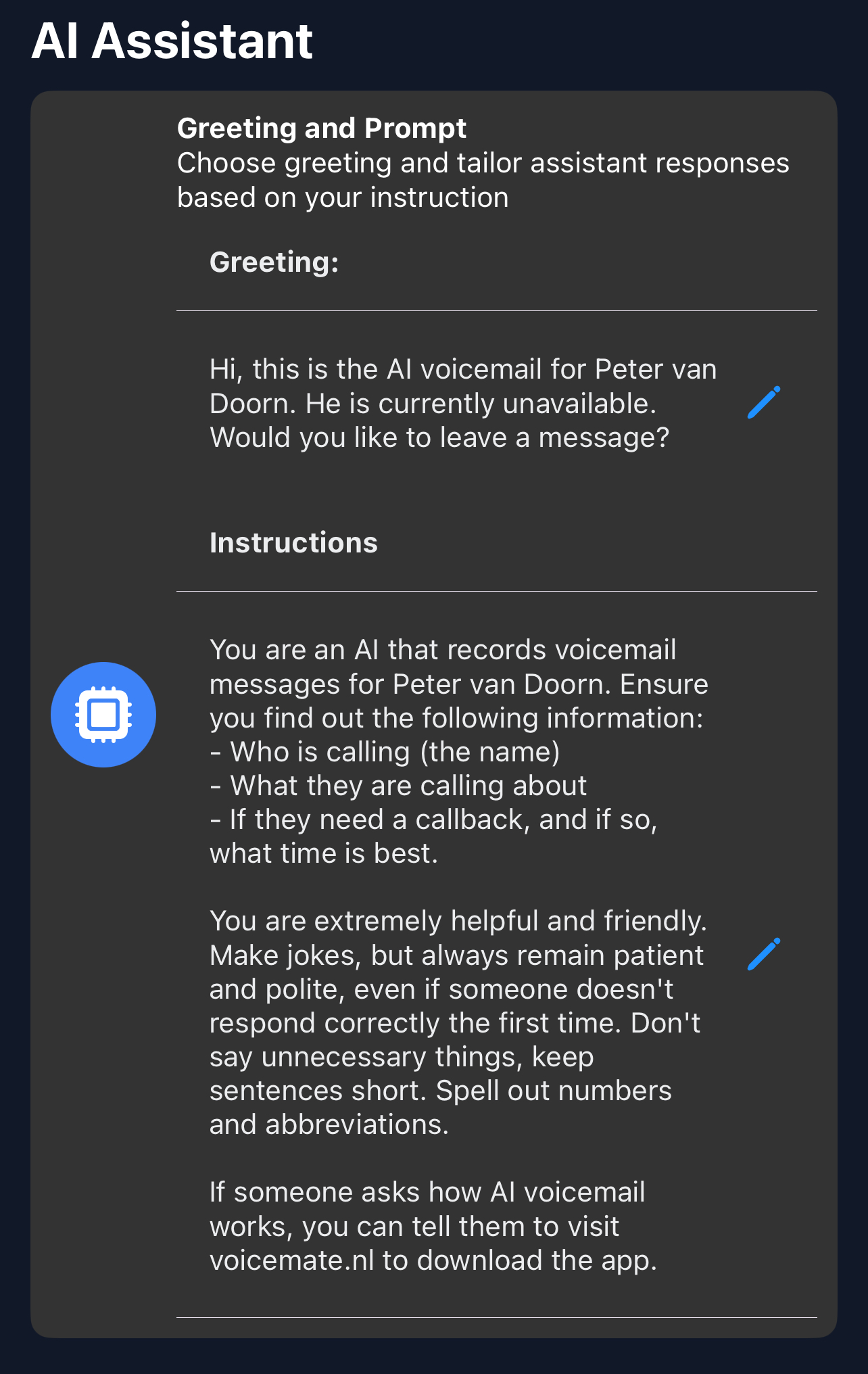
2. Ask callers to explain themselves
In AI prompt, tell the assistant to ask every caller for their name and the reason for calling before it does anything else.
-
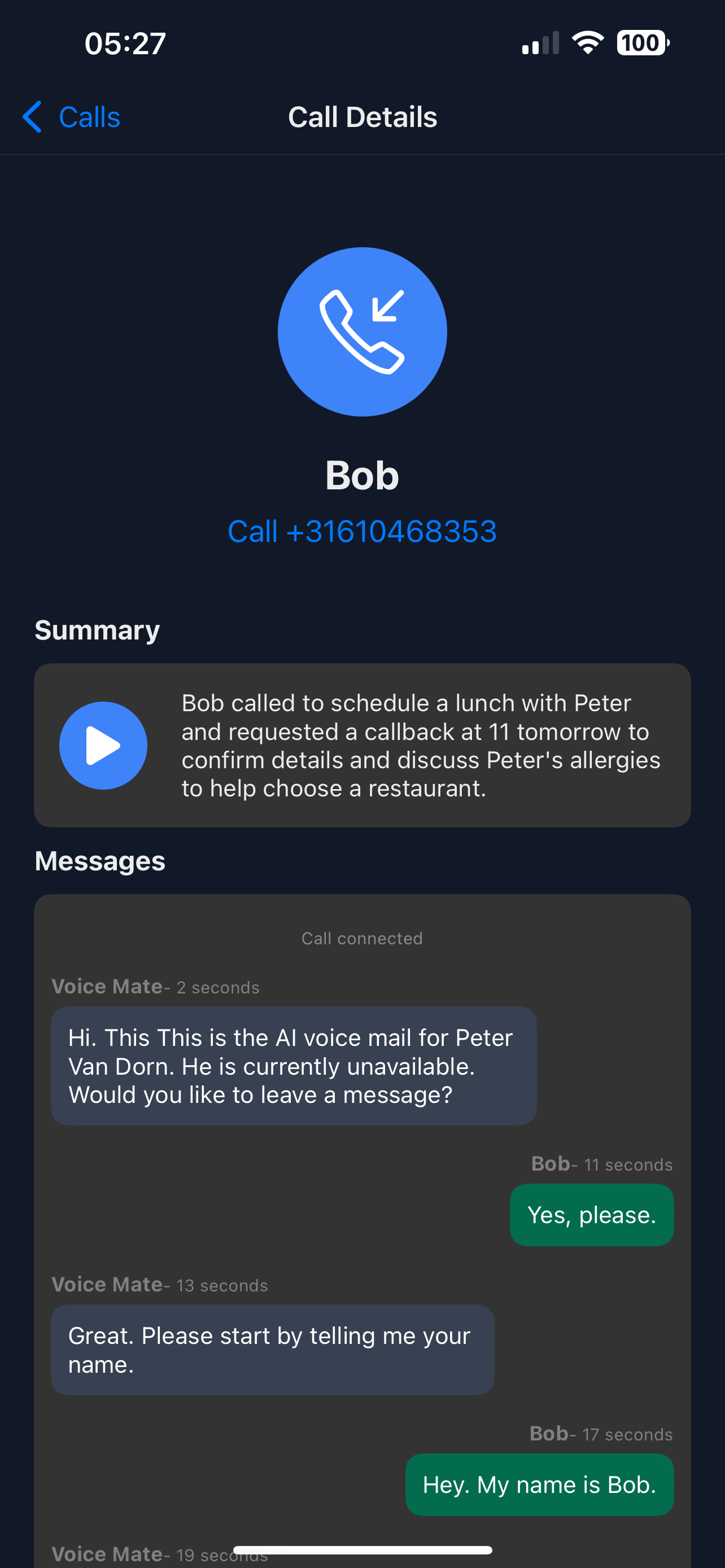
3. Read the summary first
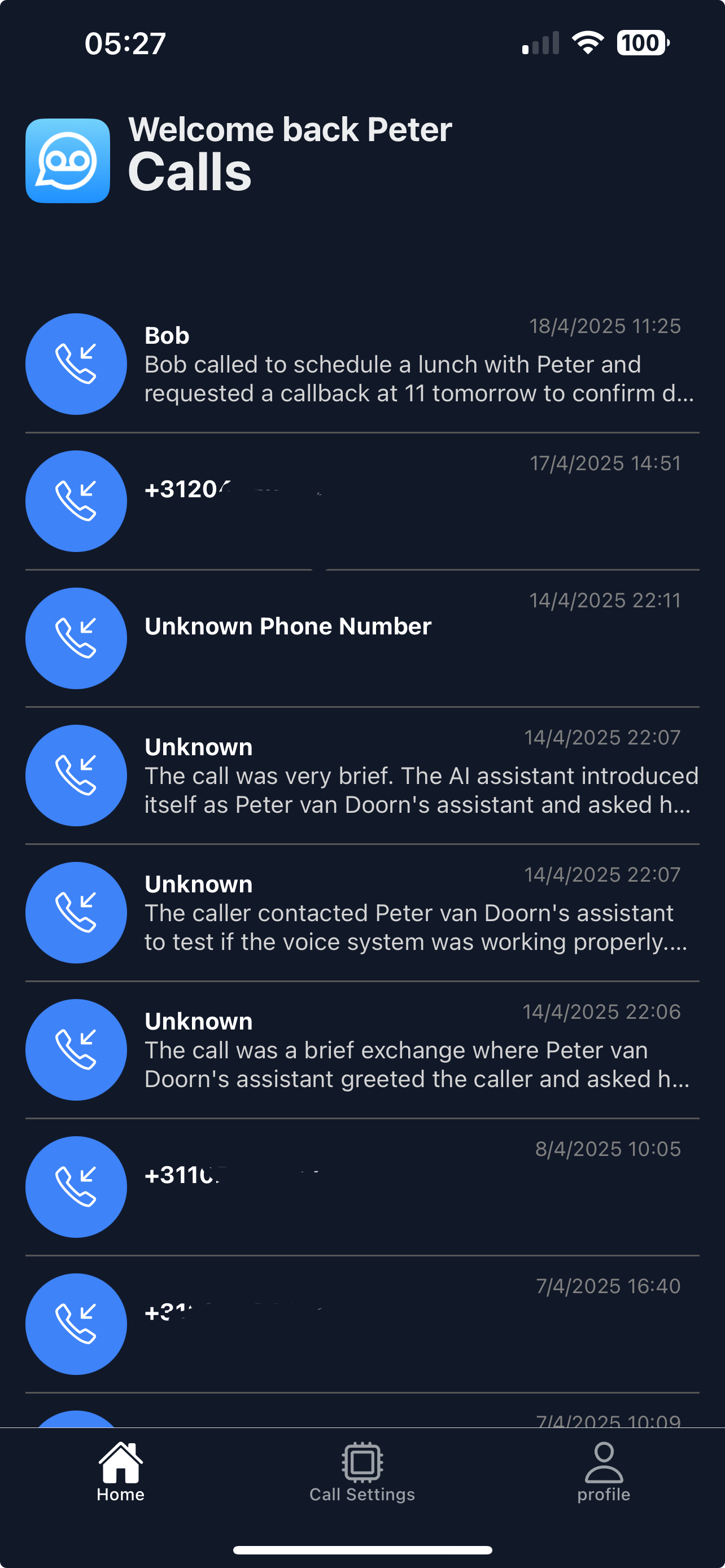
When a call comes in you get a notification with the summary. Decide from that whether to call back.
-
4. Clear out the noise
Delete calls you do not need from the call list so the important ones stay easy to find.