
Founder of Voice Mate
Write Your Own Ai Voicemail Instructions
Behind every call is a set of instructions that tells the AI what to find out and how to behave. In Voice Mate you can read and edit these instructions in the app, so the assistant asks the questions that matter for your work.
Out of the box the assistant asks who is calling, why, and how to reach them. That is enough for many people. If you run a business you will probably want more: the address of a property, the type of vehicle, whether the matter is urgent, a preferred time to be called back. You change this under Settings, AI prompt, where the instructions are plain text you can edit. You do not need to be technical; write it the way you would brief a new receptionist.

Change one thing at a time and make a test call after each change, so you know what made the difference. If you ever get lost, you can reset the assistant to the default for your language and start again.
Getting Started
Setup is easy: follow the steps below. You need the Voice Mate app on your phone.
Get the app
-
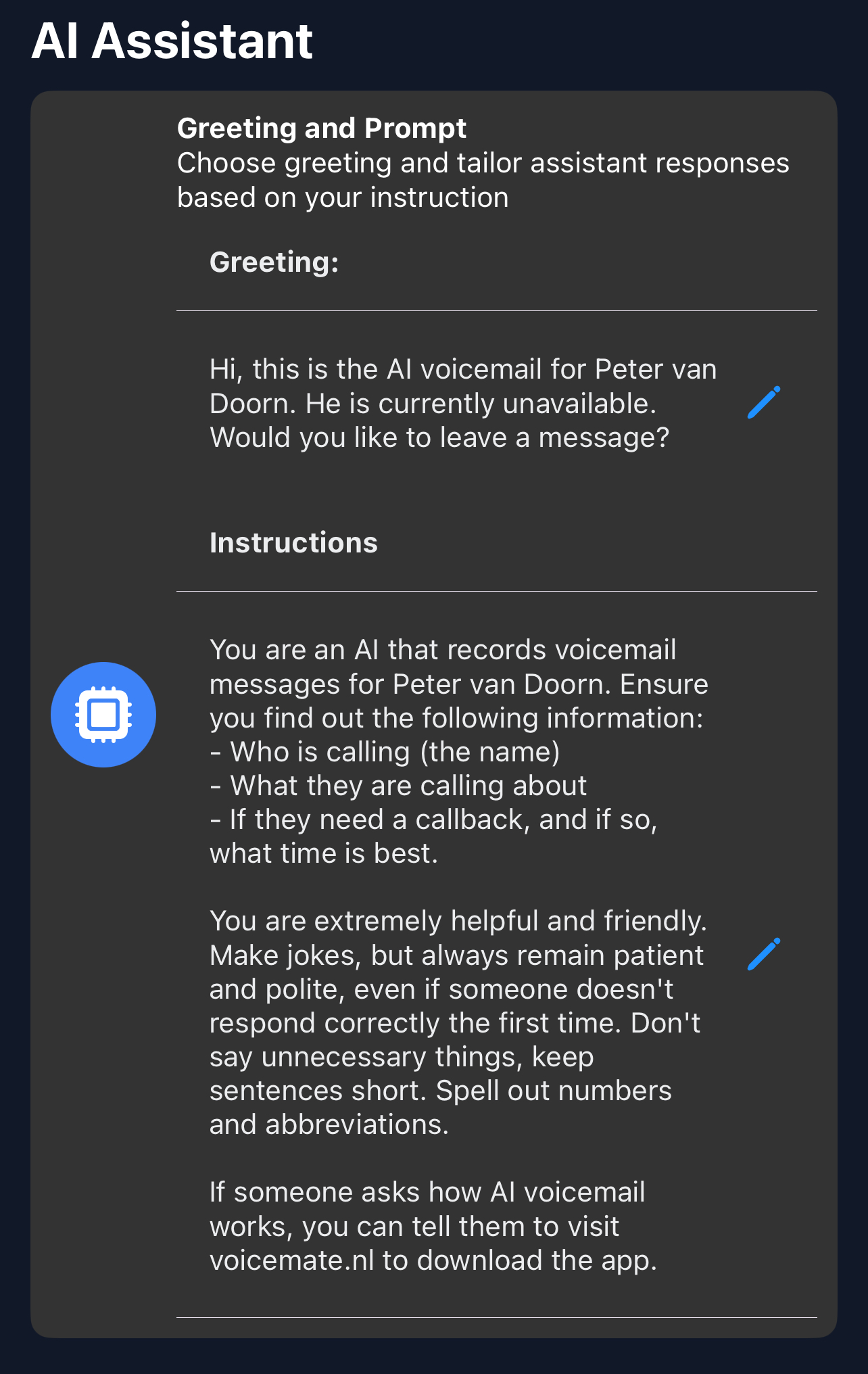
1. Open AI prompt
Go to Settings and choose AI prompt.
-
2. List what you need to know
Write down the three or four things you would ask a caller yourself. Add them as instructions, for example: Always ask for the caller's name, phone number and the reason for the call. If it is about an existing order, ask for the order number.
-
3. Set the tone
Tell the assistant how to sound: polite and brief, or warm and chatty. Also tell it what not to do, such as promising prices or appointments you have not agreed to.
-
4. Test with a real call
Save, then call your Voice Mate number and play the caller. Read the summary afterwards and see whether it contains what you asked for.
-
5. Refine or reset
Adjust the wording where the answers were vague. If it goes wrong, use the reset option to return to the default instructions for your language.
